
In today’s visually-driven market, your online portfolio is more than a gallery. It’s your digital handshake, a lead generation engine, and a testament to your design philosophy. For interior designers, architects, and creative professionals, selecting the right platform is a critical business decision. The best portfolio website for designers isn’t just about showcasing images; it’s about conveying brand value, attracting the right clients, and streamlining your workflow.
Whether you’re a luxury architect aiming to connect with high-net-worth individuals or a freelance graphic designer needing a flexible, scalable solution, the platform you choose shapes your professional narrative. The wrong choice can lead to a site that misrepresents your brand’s caliber or fails to attract your target clientele. A generic, template-driven site may not adequately capture the bespoke nature of a high-end interior design firm, while a complex, code-heavy platform could be overkill for a designer needing a quick, elegant solution.
This guide cuts through the noise, offering a detailed analysis of the top portfolio platforms available today. We examine each option’s unique strengths, ideal user, and critical features to help you build a portfolio that doesn’t just display your work, but elevates it. Inside, you’ll find a direct comparison of platforms like Haute Design, Webflow, Squarespace, and Framer. We provide actionable insights, screenshots, and direct links to help you make a confident, informed decision for your brand. Find the perfect digital showcase that aligns with your specific goals and clientele.
1. Haute Design
Best for: Established luxury interior designers, architects, and builders seeking to connect with an ultra-high-net-worth (UHNW) clientele.
Haute Design transcends the traditional portfolio platform, operating as a prestigious, curated network that strategically positions elite design and build professionals in front of an affluent audience. Backed by the luxury lifestyle media authority, Haute Living, this platform is less of a simple portfolio host and more of a powerful marketing and networking engine for firms operating in the high-end market. It is an exceptional choice for designers who have already built a significant body of work and are focused on attracting premier projects and solidifying their brand as a leader in the luxury space.
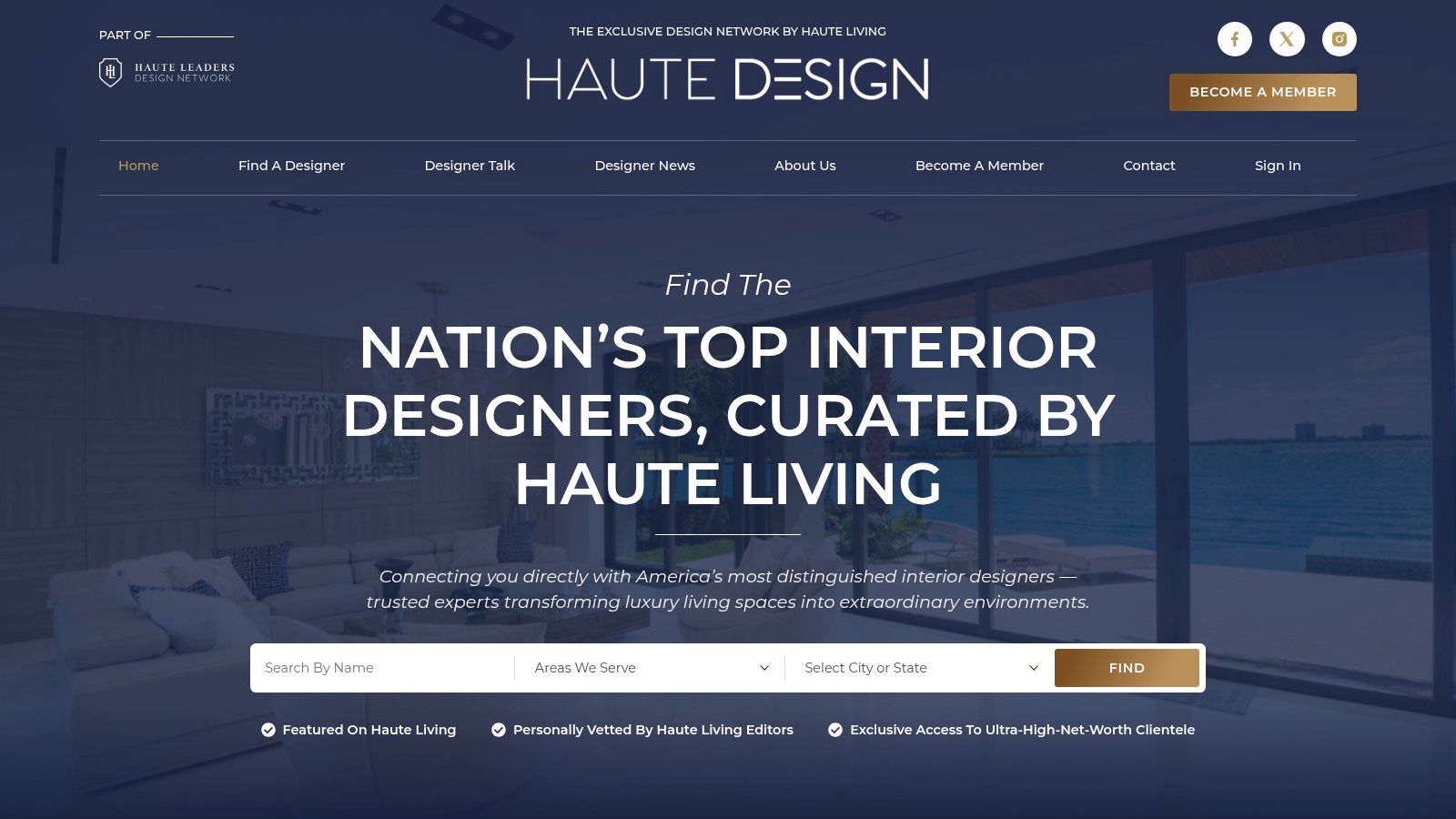
Unlike open-submission portfolio websites, Haute Design is an invitation-only, editorially vetted network. This exclusivity is its core strength. Gaining membership provides a powerful signal of quality and credibility to potential clients, including affluent homeowners, developers, and industry partners who trust the Haute Living brand.
Key Features and Strategic Advantages
Haute Design is engineered to deliver targeted exposure and high-value connections, making it one of the best portfolio website options for designers targeting the luxury sector.
- Curated Editorial Exposure: Members receive significant visibility across Haute Living’s national channels. This includes bespoke member spotlights, in-depth “Designer Talk” interviews, and inclusion in curated lists like “Best Luxury Home Builders To Watch.” These editorial pieces serve as powerful, third-party-validated marketing assets to share with prospects.
- The “Haute Design” Badge of Distinction: Accepted members can display the Haute Design badge on their own websites and marketing materials. This emblem acts as a trusted seal of approval, immediately conveying a standard of excellence and distinguishing the firm from competitors in a crowded market.
- Exclusive Networking Opportunities: Membership grants access to a world of high-value connections. This includes invitations to exclusive Haute Leaders and Haute Design events, where professionals can network directly with UHNW individuals and top-tier peers from various disciplines, such as architecture and luxury home building. This provides direct access to decision-makers and potential collaborators. Explore some standout architecture portfolio examples on Haute Design to see the caliber of professionals in the network.
- Multi-Disciplinary Visibility: The platform covers a wide range of luxury home specializations, from interior design and architecture to landscape, home technology, and kitchen & bath. This structure fosters cross-disciplinary referrals and enhances a firm’s visibility among adjacent luxury professionals.
Pricing and Access
Haute Design’s membership model is tailored to its exclusive nature.
- Pricing: Membership tiers and pricing are not publicly listed. Interested professionals must inquire through the platform to begin the application and vetting process, where costs and return on investment are discussed directly.
- Access: Membership is selective and based on an editorial review of a firm’s portfolio, reputation, and alignment with the Haute Living brand. This curation ensures the network’s quality remains exceptionally high.
| Feature Analysis | Pros | Cons |
|---|---|---|
| Client Access | Direct connection to UHNW clients and luxury developers. | Selective admission process may be a barrier for new or mid-market firms. |
| Brand Building | Editorial exposure and a trusted “Haute Design” badge elevate brand prestige. | Strongest presence is in key luxury markets like New York, Florida, and California. |
| Networking | Exclusive invitations to high-value industry and client events. | Membership costs are not transparent and require direct inquiry. |
| Content | Ongoing content opportunities create valuable marketing assets. | ROI is geared towards high-ticket projects, may not suit all business models. |
Why It Stands Out
Haute Design is fundamentally different from a DIY website builder or a mass-market portfolio site. It’s a strategic business development tool. Instead of just showcasing work, it actively markets its members to a precisely targeted, hard-to-reach demographic. For established firms aiming to secure multi-million dollar projects and cement their legacy in the luxury market, the credibility, exposure, and networking opportunities offered by Haute Design are unparalleled.
2. Webflow
Webflow occupies a unique space in the website builder market, offering a visual, no-code platform that produces clean, semantic code akin to what a front-end developer would write. This makes it an exceptional choice for designers who crave granular control over every pixel, interaction, and animation without needing to master HTML, CSS, and JavaScript from scratch. It’s the ideal platform for designers looking to build highly customized, interactive case studies and bespoke digital experiences that truly reflect their unique brand identity.
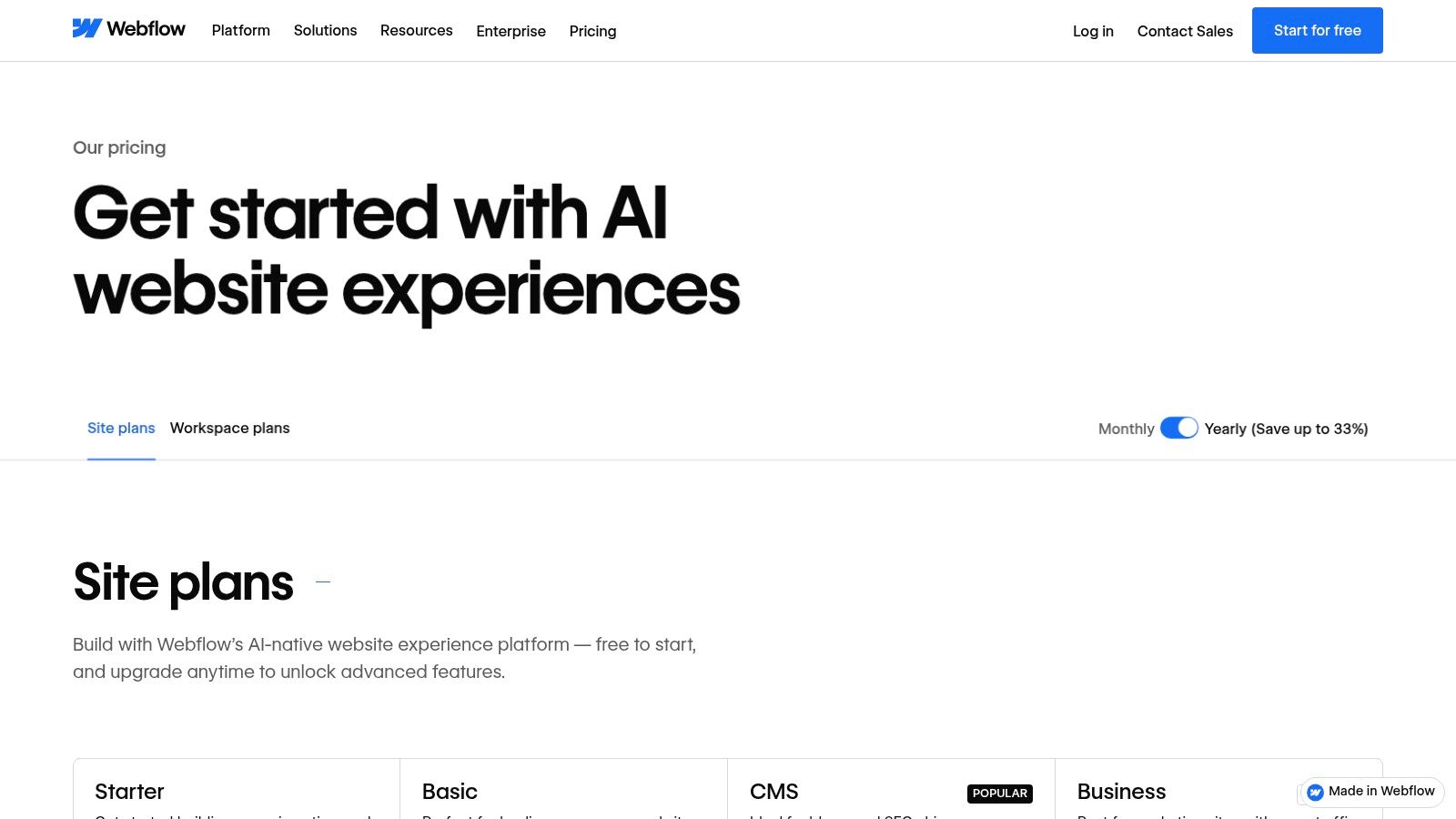
Unlike template-first builders where you are often confined to predefined structures, Webflow gives you a blank canvas. You build your site visually using a system of boxes, styling them with a panel that directly maps to CSS properties like flexbox, grid, and positioning. This level of control is what makes it a top contender for the best portfolio website for designers who refuse to compromise on their creative vision.
Key Features and Capabilities
Webflow’s power lies in its combination of visual design and a powerful back-end. The platform is not just for static pages; its integrated Content Management System (CMS) is a game-changer for managing portfolio projects.
- Visual Designer: Offers CSS-level control, allowing you to manipulate every element’s style and position with precision.
- CMS Collections: Create dynamic content types for projects, case studies, blog posts, or team members. This allows you to design a single template and populate it with multiple projects, ensuring consistency and easy updates.
- Interactions & Animations: Build complex, timeline-based animations and micro-interactions triggered by scroll, hover, or click events directly within the designer.
- Managed Hosting: All plans include fast, secure hosting on a global CDN, with automatic SSL and backups, ensuring your portfolio is always online and performs well.
This robust feature set enables designers to craft sophisticated online presences that can scale from a simple portfolio to a full-fledged business website, an approach that aligns with advanced client acquisition strategies. If you want to dive deeper into business development, you can explore detailed strategies on how to effectively market architectural services.
Pricing and Plans
Webflow has two distinct pricing structures: Site Plans (for hosting individual sites) and Workspaces (for managing multiple projects and collaborating).
| Plan Type | Starting Price (Billed Annually) | Key Benefit |
|---|---|---|
| Site Plan | $14/month (Basic) | For hosting a simple site with no CMS. |
| CMS Plan | $23/month (CMS) | Required for using CMS Collections (e.g., projects). |
| Workspace | Free (Starter) | For individuals learning and building two sites. |
| Freelancer | $24/month | For freelancers managing client projects. |
Pros and Cons
Pros:
- Unmatched Design Control: Replicate any design without writing code.
- Scalability: Easily grows from a simple portfolio into a complex, CMS-driven site with e-commerce.
- High-Performance Hosting: Includes top-tier hosting, ensuring fast load times.
Cons:
- Steeper Learning Curve: Requires an understanding of web design fundamentals (like the box model).
- Cost: Can become more expensive than simpler builders as you add CMS functionality or require higher-tier plans.
3. Squarespace
Squarespace is celebrated for its elegance and simplicity, making it a go-to choice for designers, artists, and creatives who prioritize a polished aesthetic and a fast, hassle-free setup. Its all-in-one platform combines stunning, award-winning templates with integrated hosting, domains, and marketing tools. This streamlined approach allows designers to launch a professional, visually compelling portfolio quickly without getting bogged down in technical complexities, making it ideal for those who want to focus on showcasing their work, not on building a website from the ground up.
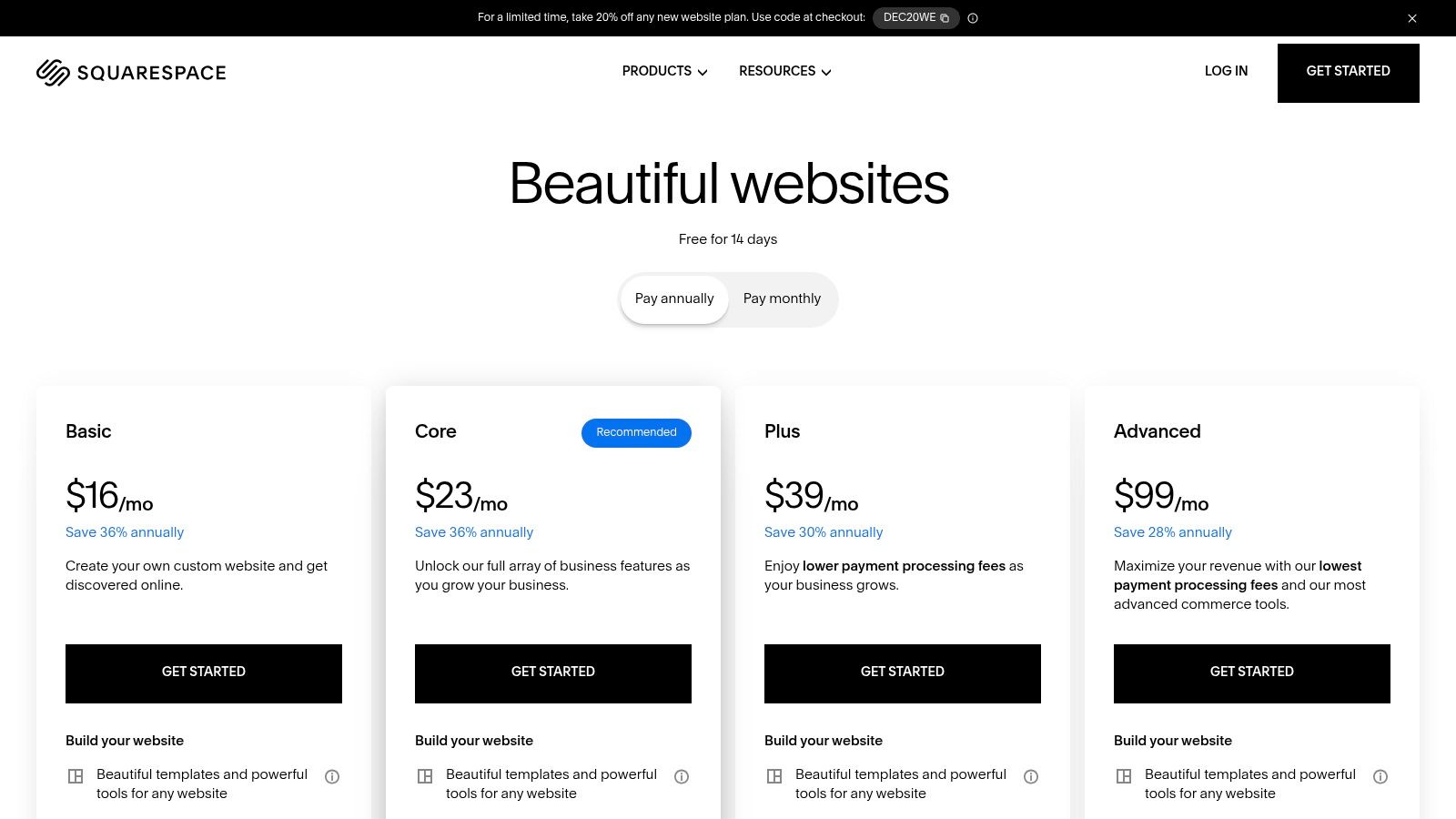
The platform operates on a template-first philosophy. You start by selecting a professionally designed layout and then customize it with your own content, branding, and imagery using a user-friendly drag-and-drop editor. While it doesn’t offer the granular, code-level control of a platform like Webflow, its templates are meticulously crafted to be mobile-responsive and visually impactful out of the box. For this reason, Squarespace is often considered the best portfolio website for designers seeking a balance between beautiful design and effortless maintenance.
Key Features and Capabilities
Squarespace’s strength lies in its curated, all-inclusive feature set that covers everything a designer needs to establish a credible online presence. The platform simplifies the entire process from initial build to ongoing management.
- Award-Winning Template Library: A vast selection of templates designed specifically for visual portfolios, ensuring your work is presented in the best possible light on any device.
- Integrated Marketing Tools: Built-in SEO features, email campaigns, and social media integrations help you attract and engage with potential clients directly from your portfolio site.
- All-in-One Platform: Every plan includes hosting, a custom domain for the first year, an SSL certificate, and unlimited bandwidth, eliminating the need to manage multiple vendors.
- Commerce & Scheduling: Easily add a store to sell prints or digital products, or integrate Squarespace Scheduling to allow clients to book consultations directly from your site.
These comprehensive tools enable designers not only to display their work but also to build a functional business hub. You can find more information about their offerings at https://www.squarespace.com/pricing.
Pricing and Plans
Squarespace offers a straightforward pricing model with clear tiers, all of which include the core features needed for a professional portfolio.
| Plan Name | Starting Price (Billed Annually) | Key Benefit |
|---|---|---|
| Personal | $16/month | Perfect for a simple, beautiful portfolio. |
| Business | $23/month | Adds e-commerce (with transaction fees), and advanced analytics. |
| Commerce Basic | $27/month | For serious online sellers, with 0% transaction fees. |
| Commerce Advanced | $49/month | Includes advanced e-commerce and marketing tools. |
Pros and Cons
Pros:
- Speed and Simplicity: The fastest and easiest way to launch a highly professional-looking portfolio.
- Exceptional Design Quality: Templates are modern, mobile-responsive, and visually stunning.
- Low Maintenance: Hosting, security, and updates are all handled for you.
Cons:
- Limited Customization: Less creative freedom compared to builders like Webflow; you are mostly confined to the template’s structure.
- Transaction Fees: The Business plan charges a 3% transaction fee on sales, requiring an upgrade to a Commerce plan to remove it.
4. Framer
Framer has rapidly evolved from a prototyping tool into a powerful, design-first website builder, making it a formidable choice for modern digital, product, and brand designers. It excels at translating design concepts directly into high-performance, live websites with stunning animations and interactions. For designers who are comfortable with tools like Figma, Framer offers a familiar, canvas-based interface that removes the friction between design and development, allowing for rapid iteration and visually rich case studies.
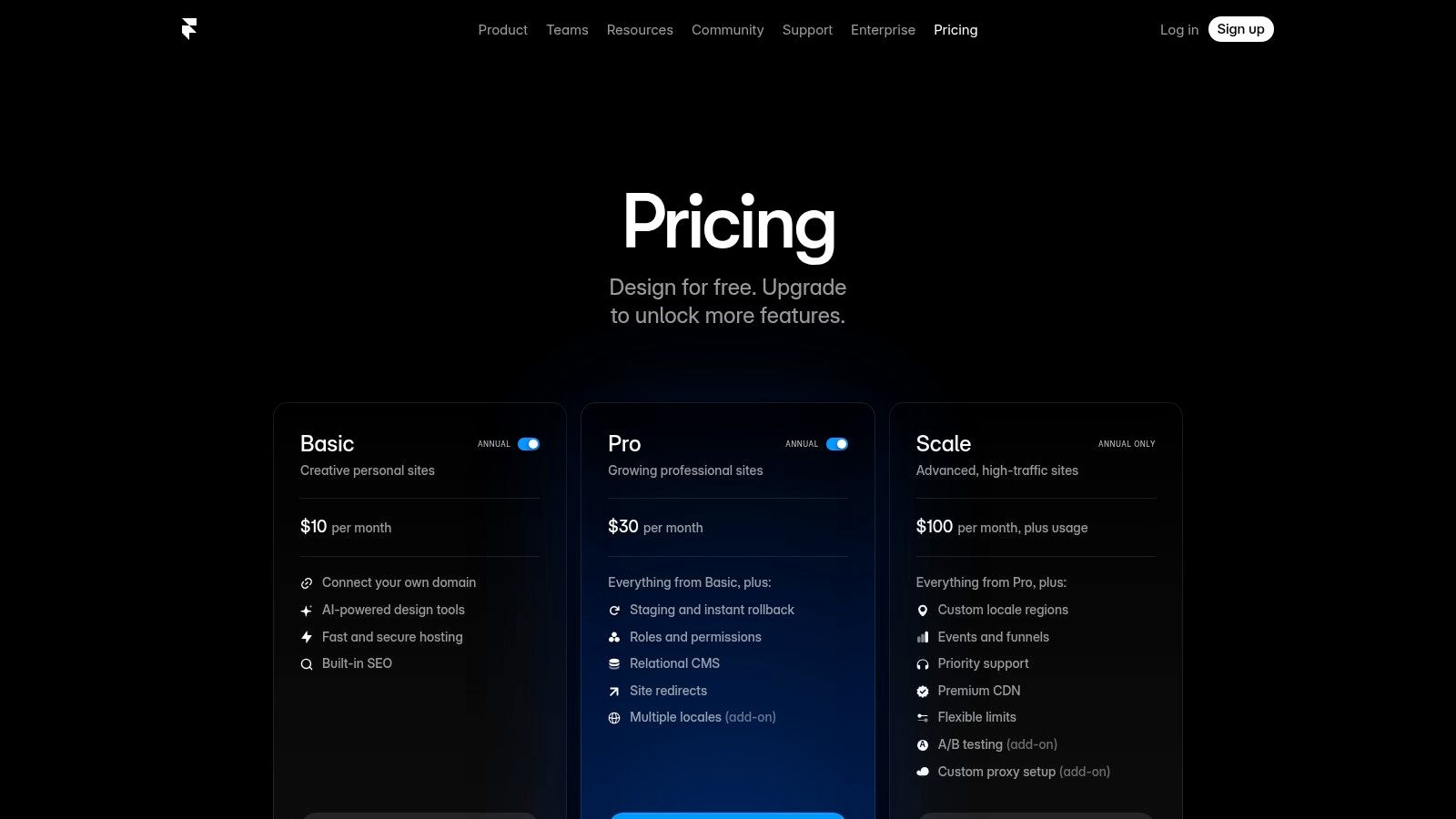
Its core philosophy is to empower designers to build and publish directly from their design environment, eliminating the traditional handoff process. This makes Framer an excellent platform for designers who want to create dynamic, responsive portfolios with fluid animations and seamless transitions without delving into complex code. This direct-to-web approach solidifies its position as a top contender for the best portfolio website for designers focused on speed and visual fidelity.
Key Features and Capabilities
Framer’s strength lies in its integrated design-to-publish workflow, coupled with features that streamline portfolio management and enhance visual storytelling. The platform is engineered for performance and modern web aesthetics.
- Design-First Editor: Offers a familiar, intuitive canvas where you can design with components, styles, and responsive layouts that directly translate to a live site.
- Built-in CMS: Manage portfolio projects, blog posts, or other dynamic content with a straightforward CMS. You can design a single template and populate it with multiple project entries.
- Advanced Animations: Create sophisticated scroll effects, entrance animations, and interactive components natively within the editor without plugins or code.
- AI-Assisted Features: Utilize AI to generate layouts, write copy, and even translate your entire site for different locales, significantly speeding up the creation process.
Pricing and Plans
Framer offers a clear and scalable pricing model, starting with a generous free tier for small projects and scaling up to accommodate business needs.
| Plan Type | Starting Price (Billed Annually) | Key Benefit |
|---|---|---|
| Free | $0/month | For hobby projects with Framer branding. |
| Mini | $5/month | For simple sites and landing pages. |
| Basic | $15/month | Ideal for personal sites like portfolios. |
| Pro | $30/month | More CMS items, analytics, and staging. |
Pros and Cons
Pros:
- Blazing-Fast Performance: Websites built on Framer are known for excellent performance and quick load times out of the box.
- Intuitive, Modern Interface: Feels familiar to users of modern design tools, reducing the learning curve.
- Rapid Iteration: Staging and instant rollback features (Pro plan) make it easy to test changes and manage client reviews.
Cons:
- Usage Limits: Plans have defined limits on CMS items, pages, and bandwidth which may require upgrading or paying for overages.
- Developing CMS: While powerful, its CMS is newer and may lack some of the advanced features found in more mature platforms.
5. Wix
Wix has established itself as a dominant force in the website builder industry by offering an incredibly accessible, all-in-one platform. It’s an excellent choice for designers who prioritize speed, convenience, and a straightforward setup process without a steep learning curve. With a vast library of professionally designed templates, many of which are specifically tailored for portfolios, designers can launch a polished website in a matter of hours, making it ideal for those needing to get their work online quickly and efficiently.
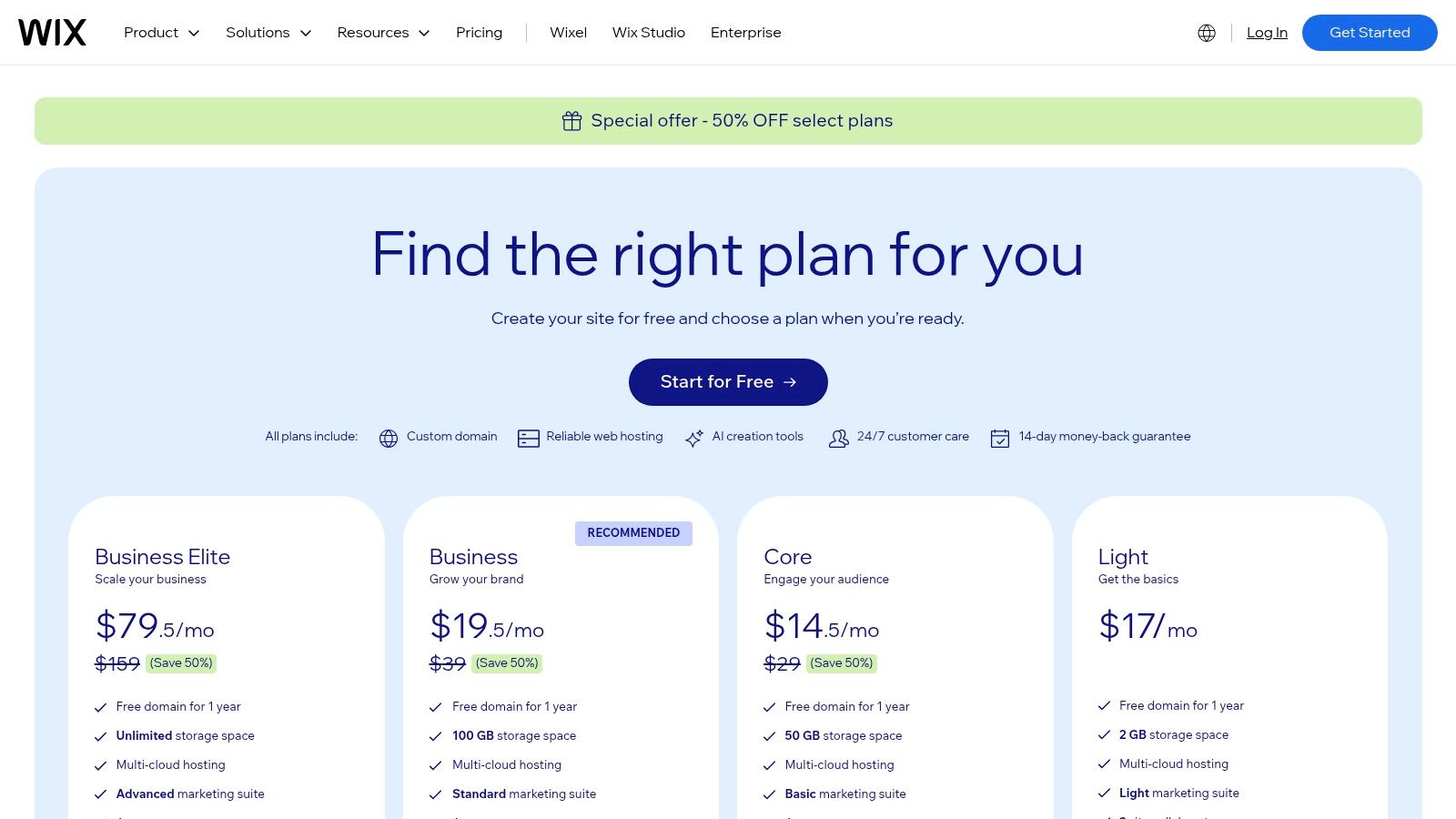
While some platforms offer a blank canvas, Wix’s strength lies in its guided, template-first approach. This structured environment removes much of the technical guesswork, allowing designers to focus on content and presentation. Its drag-and-drop editor provides a high degree of visual control within the template’s framework, and recent additions like Wix Studio offer more advanced responsive design capabilities. This makes Wix one of the best portfolio websites for designers seeking a balance between creative freedom and user-friendly operation.
Key Features and Capabilities
Wix’s platform is packed with built-in tools designed to create a comprehensive online presence that goes beyond a simple gallery of images. It empowers designers to manage their business and showcase their work from a single dashboard.
- Extensive Template Library: Hundreds of designer-made templates, including many portfolio-specific options, provide a strong starting point for any creative professional.
- Wix App Market: A large ecosystem of free and premium apps allows you to add advanced functionality like client booking systems, live chat, advanced forms, and marketing tools.
- AI Site Creation: The Wix ADI (Artificial Design Intelligence) tool can generate a personalized website for you after answering a few simple questions, offering a rapid path to a first draft.
- Integrated Business Tools: Features for e-commerce, appointment scheduling, and client management are built-in or easily added, allowing a portfolio to evolve into a full studio website.
Pricing and Plans
Wix offers a range of plans, separating personal sites from those with business and e-commerce capabilities. All paid plans include a custom domain, remove Wix ads, and provide secure hosting.
| Plan Type | Starting Price (Billed Annually) | Key Benefit |
|---|---|---|
| Light | $17/month | For personal portfolios without business features. |
| Core | $29/month | Basic e-commerce and booking functionality. |
| Business | $36/month | Standard e-commerce features and automated sales tax. |
| Business Elite | $159/month | Advanced features for scaling a business. |
Pros and Cons
Pros:
- Very Easy to Use: An intuitive drag-and-drop editor makes it one of the fastest platforms to learn.
- All-in-One Solution: Includes hosting, domain connection, and a huge app market in one package.
- Rich Feature Set: Offers extensive functionality out of the box, from SEO tools to e-commerce.
Cons:
- Less Design Flexibility: While customizable, you are largely confined to the structure of your chosen template.
- Potential for Higher Costs: The price can increase significantly as you add premium apps and higher-tier plans.
6. Adobe Portfolio (MyPortfolio)
For designers already invested in the Adobe ecosystem, Adobe Portfolio is an incredibly streamlined and efficient solution. Included at no extra cost with most Creative Cloud subscriptions, it serves as a direct bridge between your creative work and a live, professional online presence. The platform is designed for simplicity and speed, making it an excellent choice for students, freelancers, and established designers who need a clean, credible portfolio without the learning curve of a complex website builder.
Adobe Portfolio’s primary advantage is its seamless integration with other Adobe products. You can sync entire photo albums from Lightroom or pull projects directly from your Behance profile, which automatically populates your portfolio site with high-resolution images and project details. This removes much of the friction associated with uploading and organizing work, allowing you to focus on the presentation.
The platform is purpose-built to get a portfolio online quickly. It offers a selection of clean, minimalist themes that are easily customizable with your own branding, colors, and typography, thanks to its built-in access to the full Adobe Fonts library. This focused approach makes it one of the best portfolio website for designers who value efficiency and want a professional-looking site that just works.
Key Features and Capabilities
Adobe Portfolio’s strength is not in overwhelming features but in its elegant simplicity and deep integration with the tools designers use daily.
- Creative Cloud Integration: Sync projects directly from Behance and photo galleries from Lightroom, eliminating the need for manual uploads and ensuring your work is always up-to-date.
- Customizable Themes: Start with a range of modern, responsive layouts and tailor them with your own logos, colors, and typography using the full Adobe Fonts library.
- Custom Domain Support: Easily connect your own domain name (e.g.,
yourname.com) to give your portfolio a professional, branded URL. - Password Protection: Protect specific pages or your entire site with a password, ideal for sharing works-in-progress or sensitive client projects.
These features make it simple to create a visually compelling showcase. For inspiration on how to structure your projects effectively, you can find excellent examples by reviewing a collection of top-tier interior designer portfolio examples.
Pricing and Plans
Adobe Portfolio is not available as a standalone product. It is bundled with most Adobe Creative Cloud plans, making it an exceptional value for existing subscribers.
| Plan Type | Starting Price (Billed Annually) | Key Benefit |
|---|---|---|
| Photography Plan | $9.99/month | Includes Photoshop, Lightroom, and Adobe Portfolio. |
| Single App Plan | $22.99/month | Includes one app (e.g., Illustrator) and Portfolio. |
| All Apps Plan | $59.99/month | Includes the entire Creative Cloud suite and Portfolio. |
Pros and Cons
Pros:
- No Extra Cost: Included with most Creative Cloud subscriptions.
- Seamless Integration: Syncs effortlessly with Behance and Lightroom.
- Extremely Easy to Use: Get a professional portfolio online in minutes with no coding required.
Cons:
- Requires a CC Subscription: Not available as a standalone purchase.
- Limited Customization: Less design flexibility compared to builders like Webflow or Squarespace.
- Tied to Subscription: Your live site may be taken down if your Creative Cloud plan expires.
7. Cargo
Cargo has carved out a distinct niche as the platform of choice for artists, photographers, and graphic designers who prioritize unique, experimental, and visually-driven layouts. It moves away from the corporate feel of many builders, offering a curated selection of highly aesthetic templates that serve as a strong creative foundation. This makes it an excellent option for designers seeking a platform that champions artistic expression and allows for the creation of distinctive, minimal, and often unconventional digital portfolios.
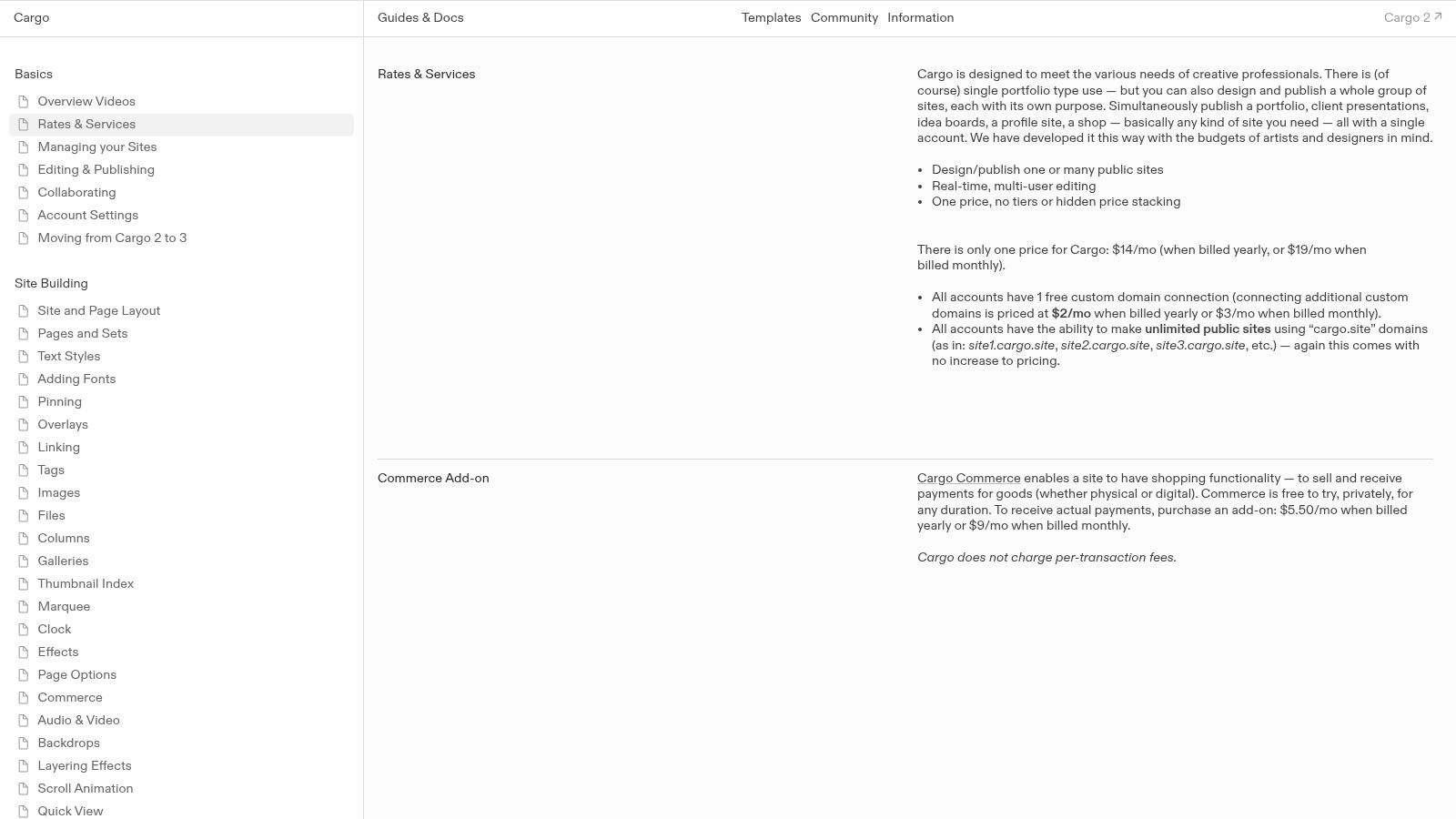
Unlike platforms that present a blank canvas, Cargo’s philosophy is rooted in providing beautifully designed, and often bold, starting points. The editor is intuitive yet flexible, allowing for significant customization without a steep learning curve. Its unique multi-site publishing feature makes Cargo one of the best portfolio website for designers who manage multiple projects, maintain a studio site, or need to quickly spin up microsites for specific client presentations or exhibitions.
Key Features and Capabilities
Cargo’s feature set is intentionally focused on the needs of visual creators, emphasizing presentation and simplicity over complex backend functionality. This approach ensures designers can get a stunning portfolio online quickly.
- Design-Forward Templates: A curated library of distinctive, often minimalist or brutalist, templates created by designers, for designers.
- Multi-Site Publishing: A single Cargo account allows you to design and publish multiple separate websites, each with its own content and domain. This is ideal for managing a personal portfolio, a studio site, and project-specific microsites.
- Real-Time Collaboration: Features real-time, multi-user editing, making it simple for design partners or small studio teams to work on a site simultaneously.
- Simple Commerce Add-On: An optional e-commerce feature allows you to sell prints, products, or digital goods with no per-transaction fees taken by Cargo.
Pricing and Plans
Cargo simplifies its pricing with a straightforward, single-tier subscription model, avoiding the complex plan structures of its competitors.
| Plan Type | Price (Billed Annually) | Key Benefit |
|---|---|---|
| Cargo Site | $13/month | Full access to all templates, tools, and the ability to publish an unlimited number of sites. |
| Commerce | +$9/month | An add-on to sell products with 0% transaction fees from Cargo. |
Pros and Cons
Pros:
- Aesthetic Templates: Provides a strong, curated visual starting point that appeals to creative professionals.
- Simple, Flat Pricing: Predictable and affordable pricing without confusing multi-tier upsells.
- Multi-Site Capability: Easily create and manage multiple websites from one account, perfect for project microsites.
Cons:
- Limited Integrations: Has a smaller ecosystem and fewer third-party integrations compared to larger builders.
- Less Enterprise-Grade Tooling: Lacks the advanced CMS and development features found in platforms like Webflow.
Top 7 Designer Portfolio Platforms Comparison
| Item | 🔄 Implementation complexity | ⚡ Resource requirements | 📊 Expected outcomes | 💡 Ideal use cases | ⭐ Key advantages |
|---|---|---|---|---|---|
| Haute Design | Low technical, high selection & onboarding (editorial vetting) | High — membership fees (private), time for events/PR | Very high-value leads & prestige in UHNW markets | Established luxury designers, builders, architects seeking UHNW exposure | Direct UHNW access, editorial badge, exclusive networking |
| Webflow | High — designer-grade controls; steeper learning curve | Medium — design expertise; possible add-on costs at scale | High — bespoke, CMS-backed portfolios and interactions | Agencies or designers needing granular layout control & scalability | Granular CSS-level control, robust hosting, scalable CMS |
| Squarespace | Low — template-driven, simple setup | Low — all-in-one plans with built-in tools | Good — polished, reliable portfolios quickly | Freelancers and small studios wanting fast, low-maintenance sites | Fast time-to-publish, strong templates, integrated tools |
| Framer | Medium — modern editor with staging and rollback | Medium — design-focused; may need higher tiers for scale | High — animated, performance-optimized case studies | Product/brand designers needing rapid iteration & animation | AI-assisted layouts, staging/rollback, built-in performance |
| Wix | Low — template/AI-driven builder | Low–Medium — many templates; premium apps can increase cost | Good — quick launch with broad feature set | Designers who prioritize convenience, many built-in features | Large template library, app marketplace, 24/7 support |
| Adobe Portfolio | Very low — simple themes, tight CC integration | Low if on Creative Cloud (included); requires CC otherwise | Basic — clean, credible portfolio with limited advanced features | Students, freelancers already in Adobe ecosystem | Included with CC, Behance/Lightroom integration, Adobe Fonts |
| Cargo | Low–Medium — designer-focused, minimalist editor | Low — flat pricing, multi-site publishing from one account | Good — distinctive, experimental portfolios & microsites | Visual/graphic designers and studios wanting unique layouts | Aesthetic templates, easy microsites, simple pricing model |
From Platform to Prestige: Making Your Final Portfolio Choice
The journey to finding the best portfolio website for designers is not about discovering a single “perfect” platform. Instead, it’s a strategic process of aligning a tool’s strengths with your unique professional goals, brand identity, and the specific clientele you aim to attract. As we’ve explored, your digital portfolio is far more than a gallery; it’s your virtual studio, your primary marketing asset, and the first impression you make on potential clients and collaborators.
The decision hinges on a crucial trade-off: control versus convenience. Platforms like Webflow and Framer offer unparalleled creative freedom, allowing you to build a pixel-perfect, bespoke digital experience that is uniquely yours. However, this power comes with a steeper learning curve. On the other hand, tools like Squarespace and Wix provide incredible ease of use with elegant templates, enabling you to launch a professional and polished site in a fraction of the time. Meanwhile, Adobe Portfolio and Cargo offer streamlined, design-centric solutions that are perfect for getting your work online quickly and effectively, often as a complement to other platforms.
Key Takeaways: A Strategic Recap
Before making your final selection, reflect on the core insights from our analysis. Each platform serves a distinct purpose, and understanding this is key to making a choice that will amplify your career.
- For Total Creative Control: Webflow and Framer are the clear winners. These are ideal for designers who want to push creative boundaries and are comfortable with a more technical, hands-on approach to web design. Your portfolio itself becomes a testament to your digital craftsmanship.
- For Elegant Simplicity: Squarespace remains a top contender for its balance of beautiful design, user-friendly interface, and robust e-commerce and scheduling features. It is an excellent choice for designers who need a stunning yet manageable website without a steep learning curve.
- For Rapid Deployment: Adobe Portfolio and Wix offer speed and efficiency. Adobe Portfolio is an unbeatable value for Creative Cloud subscribers, while Wix’s ADI makes it one of the fastest ways to get a functional, AI-driven site online.
- For a Curated, Minimalist Aesthetic: Cargo appeals to a specific niche of visual artists and designers who prioritize a unique, community-focused presentation over extensive business features.
Actionable Next Steps: How to Choose Your Platform
Your choice should be a direct reflection of your business strategy. To move from consideration to action, use this framework to guide your decision-making process.
- Define Your Primary Goal: Is your main objective to showcase high-end project photography, generate inbound leads, sell digital products, or simply establish a professional online presence? Your primary goal will immediately narrow down your options.
- Assess Your Technical Comfort Level: Be realistic about the time and effort you are willing to invest. If learning a new design tool excites you, Webflow or Framer might be a perfect fit. If you need a site that is easy to update and maintain, Squarespace or Wix are more practical choices.
- Consider Your Audience and Brand Positioning: The most critical factor for our target audience of architects, interior designers, and luxury builders is brand perception. Your portfolio platform must exude the same level of quality and sophistication as your work. A generic template may not suffice if you are targeting high-net-worth clients who expect a bespoke experience at every touchpoint.
- Evaluate Beyond the Portfolio: Think about the ecosystem. Does the platform integrate with your existing business tools (like CRM or project management software)? More importantly, does it place you within a valuable network? For designers in the luxury market, this is where a specialized, curated platform transcends a simple website builder. It’s not just about showcasing your work; it’s about showcasing it to the right people.
Ultimately, the best portfolio website for designers is the one that closes the gap between your work and your ideal client. It should not only display your past achievements but also act as a powerful engine for future growth, prestige, and opportunity.
Ready to elevate your portfolio from a simple gallery to a powerful client-acquisition tool? Join Haute Design, an exclusive, invitation-only network that connects the world’s leading interior designers, architects, and builders with an affluent audience. Secure your place among the industry’s elite and gain unparalleled visibility by visiting Haute Design.