45% of online donations were made on a mobile device in 2024.
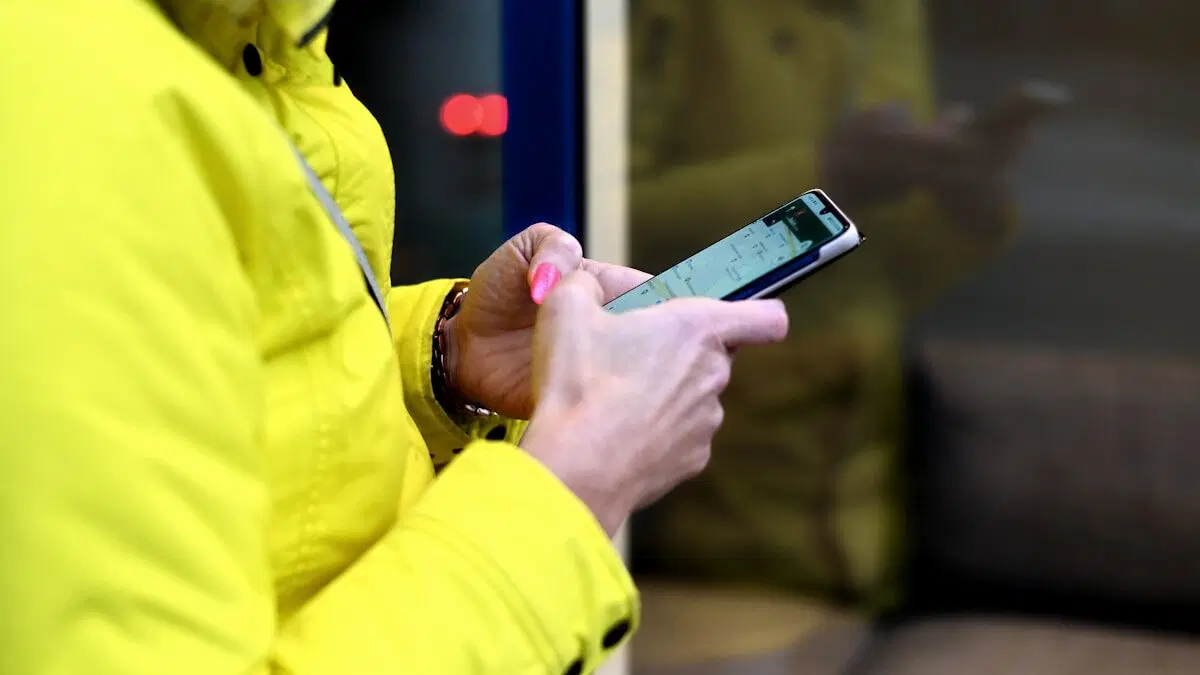
Supporters now interact with nonprofits through their phones while scrolling through social posts, tapping QR codes, or reacting in the moment to a story.
This seems like good news on the surface, but below it lies the problem known as the mobile giving gap. Mobile users donate less often and in smaller amounts than desktop users, even when they care about the cause.
Combine that with slow load times where just a one-second delay can be frustrating, and the problem becomes clear: Intent is high on mobile, but the experience fails to support it.
The fix is straightforward: design a mobile giving experience that reduces friction and pulls donors back into an “other-focused” frame. Fast pages, cleaner layouts, accessible forms, and messaging that highlights impact all help close the gap. This guide breaks down exactly how to do that.
Understanding a Mobile Donor’s Behavior
Donors don’t behave the same way on phones as they do on desktops. Research conducted on the psychological mobile giving gap by Ferguson and Herd shows that smartphone use shifts people into a more self-focused mindset, which lowers both the likelihood and size of donations compared to desktop users.
Other donor mobile behaviors are:
- Shorter, more distracted sessions: People give while multitasking – commuting, waiting in line, watching TV, so attention is thin and time-limited.
- Heavy dependence on visual clarity: Mobile users rely on quick visual cues and expect instant understanding of where to tap and what to do next.
- Micro-moment giving: Many mobile gifts start from emotional impulses triggered by social media, email links, or QR codes at events.
- Greater tendency to postpone giving: Experiments show that when donors face delays or must “donate later,” follow-through drops sharply, especially on mobile.
- Anxiety triggers that increase drop-offs: Security doubts, confusing payment flows, and forced account creation cause immediate abandonment.
- Friction feels heavier on small screens: Slow load times, poor thumb reach, and cluttered forms frustrate mobile users faster than desktop users.
- In-app browser limitations: Instagram, Facebook, and WhatsApp often block autofill or break scripts, increasing abandonment.
- Device differences matter: Android and iOS behave differently with payment methods, browser permissions, and autofill, causing inconsistent experiences if pages aren’t tested properly.
The mobile giving gap is tied closely to how people make generosity decisions, and understanding donor motivations can help nonprofits design experiences that support those instinctive patterns.
4 Performance Tips to Reduce Abandonment

A mobile donor’s attention span is around 8 seconds (down from 12 seconds), and performance issues don’t help with the mobile giving experience. Most drop-offs trace back to delays, broken scripts, or forms that don’t respond the moment someone taps.
Improving performance is one of the fastest ways to recover lost donations. Let’s see how.
1. Optimize Page Load Times
- Compress all media assets and use modern formats like WebP or AVIF to reduce file sizes without sacrificing quality.
- Remove unnecessary scripts or plugins, so the page renders faster on mobile devices.
- Use lazy loading so images and videos load only when they enter the screen.
- Set proper caching so repeat visitors don’t download the same files again.
2. Stabilize the Form Experience
- Allow autofill and pre-filled fields wherever possible to reduce typing effort.
- Use progressive disclosure so donors only see the fields required for the current step.
- Limit redirects and avoid external pop-ups that often break inside social media browsers.
- Use real-time validation to catch form errors immediately.
3. Make Payment Flows Efficient
- Support fast payment methods like Apple Pay, Google Pay, UPI, and PayPal.
- Keep payment flows short and avoid forcing donors through multiple gateways.
- Auto-detect card types to speed up validation and reduce mistakes.
- Use secure tokenization to process payments quickly without slowing the page.
4. Prepare for Campaign Surges
- Use a CDN to deliver content faster to donors in different regions.
- Add load balancing so traffic spikes don’t slow your site during big appeals.
- Cache donation pages to reduce server strain when many donors visit at once.
- Run simple uptime and performance checks to catch problems early.
5 UX Principles for Mobile Giving Pages

A strong mobile experience means removing anything that slows donors down. These UX principles create a smooth, clear path from intent to completed gift.
1. Design Layouts for Thumbs, Not Cursors
Mobile donors scroll and tap with one hand, so layouts need to center around easy reach.
What works:
- Larger buttons, clear spacing, and predictable placement. These make it harder for donors to tap the wrong thing.
- A sticky “Donate” button or bar for long pages, because it keeps the action visible even as people scroll through impact stories or images.
2. Use Donor-First Content Hierarchy
The first screen should answer 3 things instantly:
- Who you are.
- What the donation supports.
- How to give.
A short headline, a brief impact line, and a clear CTA outperform dense text or complex hero images on mobile. Donors skim, so clarity beats creativity here.
3. Build Frictionless, Distraction-Free Donation Forms
Shorter screens work better on phones. Multi-step forms with a progress bar feel manageable, while a long single-page form feels overwhelming.
Suggested donation amounts can help speed up decisions, but they should always be realistic for everyday donors, and most of all, editable. Optional fields belong at the end so donors don’t feel blocked by unimportant questions.
4. Show Credibility on Payment Pages
People are wary of donation scams, so they hesitate just as fast if the page feels unsafe. Stripe notes that people trust payment pages that clearly show they’re secure.
This is what you should add to the mobile giving experience based on Stripe’s security suggestions:
- Show clear security signals like HTTPS and the lock icon.
- Keep the payment page clean and predictable so nothing feels “off”.
- Use plain language to reassure donors that their payment is encrypted.
- Avoid unnecessary steps or redirects that make the flow look unstable.
5. Integrate Social and Peer-to-Peer Giving Cleanly
If you offer tribute gifts, matching options, or social sharing, they should sit inside the flow without derailing it. A simple toggle (“Dedicate this gift”) works better than a full extra page.
Share buttons belong after the confirmation, not mid-process, so donors stay focused on completing the gift.
Accessibility Rules for Nonprofits

Accessibility ensures every donor, on every device and ability level, can complete the gift without confusion or strain, which makes the mobile giving experience inclusive.
Basic UI Accessibility Standards
Donation pages should be easy to read and interact with. Your safest bet is following WCAG guidelines. Most nonprofits aim for WCAG 2.1 AA compliance, but some helpful guidelines come from WCAG A or AAA levels. Here’s what applies where:
| Standard area | Guideline | WCAG version & level |
| Contrast ratios | Minimum 4.5:1 for normal text; 3:1 for large text | WCAG 2.1 AA |
| Text size | Minimum 16px body text for mobile readability (industry best practice; not a WCAG rule) | Not WCAG-specific |
| Color usage | Color cannot be the only indicator of meaning (errors, required fields, alerts) | WCAG 2.1 A (SC 1.4.1) |
| Tap target size | Recommended 44×44 px for comfortable tapping | WCAG 2.1 AAA (SC 2.5.5) |
| Form labels | All input fields must have visible + programmatic labels for screen readers | WCAG 2.1 A (SC 3.3.2) |
Screen Reader Compatibility
Use clear labels on form fields and keep the reading order logical. Error messages should be short, specific, and easy for assistive tech to announce.
Motor-Accessibility Design
Tap targets should be large and easy to reach, and forms should be short enough that people don’t struggle to complete them on smaller screens or with mobility challenges.
Cognitive Accessibility Considerations
Keep language simple and predictable. Pair icons with text and avoid overwhelming donors with too many choices or emotional pressure.
Checklist to Improve the Mobile Giving Experience

Continuous testing keeps your mobile giving flow aligned with real user behavior and catches friction before donors feel it.
If the steps above feel overwhelming, this checklist breaks the testing process into simple actions you can follow consistently.
- Test the donation flow on real iOS and Android devices, not just emulators.
- Watch users with different tech comfort levels complete a donation.
- Check performance inside in-app browsers (Instagram, Facebook, WhatsApp).
- Review scroll depth to see how far donors actually read.
- Track form completion time and identify steps that slow donors down.
- Monitor payment failure rates to spot broken or unreliable gateways.
- Use tap heatmaps to identify confusing or ignored elements.
- A/B test CTA placement, preset amounts, and form length.
- Run scheduled checks for page speed, uptime, and script errors.
Conclusion: Build a Mobile Experience that Respects Donors

The mobile giving gap is more likely a psychological issue, like how people feel more focused, more deliberate, and more prepared to do “important tasks” on larger screens. On a phone, they’re more self-focused, more distracted, and more likely to postpone or abandon a donation even when the intent is there. That’s the gap we’re working against.
Because of that, nonprofits have to do everything possible to make the mobile experience feel effortless.
A strong donation flow should be light, fast, accessible, and emotionally clear – nothing that makes donors stop to think. When you prioritize trust, clarity, and ease over complexity, you lower the cognitive load that causes mobile drop-offs in the first place.
The payoff is simple: more completed donations, fewer frustrated supporters, and a mobile giving experience that respects both the donor’s intent and the realities of their behavior.
FAQs

1. How do I improve mobile giving conversions?
Make the donation flow faster, clearer, and shorter. Reduce friction with simple forms, familiar payment options, and trust cues that reassure donors immediately.
2. What causes mobile donors to abandon forms?
Slow load times, confusing fields, broken payment steps, and anything that feels unsafe. Even small delays or extra taps can push donors to drop off.
3. What accessibility guidelines apply to nonprofit donation forms?
Follow WCAG 2.1 AA for contrast, text size, and tap targets, and use ARIA labels so assistive technologies can interpret form fields correctly. Avoid color-only cues and ensure every step is accessible to screen readers and keyboard navigation.