 In this installment of my Artist Spotlight series, I interview Matt Silverman of iBelieveInSwordfish – a motion design studio based in the San Francisco Bay area. Matt and I have run in similar circles with video production, Post and VFX over the years. I consider him one of the best in the business and highly respected. So when he tells me he’s now utilizing AI for things from project concepting through production workflows, I’m going to pay attention!
I’m really grateful for the amount of time and effort that Matt put into sharing with us and it covers so much that needs to be shared with the video production community from a seasoned industry veteran.
An Interview with Matt:
Q: Thank you for agreeing to this interview, Matt. Please tell us a bit about yourself personally?
I live in Marin County, California with my wife, Nicole and our cat Mondo. When I’m not working on something creative, you’ll usually find me at a local bar listening to a Grateful Dead cover band or sweating through a hot yoga class (preferably in Bali).
Q: What has your career path been like?
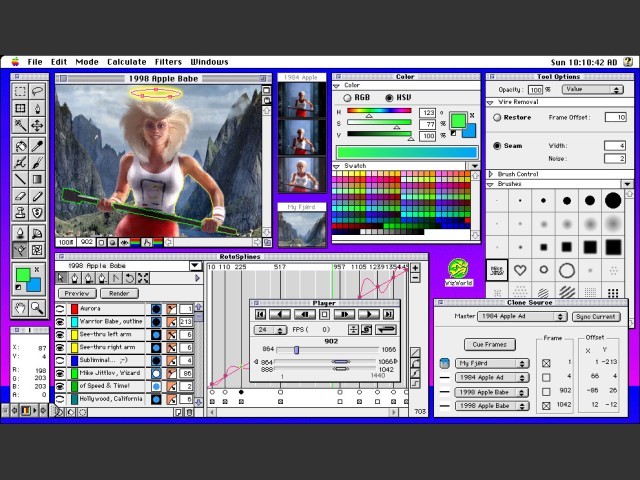 I started my career as a motion designer at CKS Group in Cupertino, one of the first integrated agencies, working on the Apple, Compaq, and Timberland accounts. That led to a slight detour at software startup Puffin Designs, where I helped build visual-effects tools under ILM vfx supervisors Scott Squires and John Knoll (co-creator of Photoshop).
After Puffin was acquired by Avid, I returned to the creative side as a partner and Flame artist at Phoenix Editorial in San Francisco. Over the next decade, I built a motion-design group that I spun off into Bonfire Labs and worked closely with top agencies and brands including Goodby Silverstein & Partners, Venables Bell & Partners, Adobe, Apple, Facebook, Jaguar Land Rover, Microsoft, and Sony.
Along the way, I co-founded a couple of software companies, mostly to solve production problems I kept running into. We built apps, plugins, and codecs that were used widely, including the Flash FLV video component which we licensed to Adobe. Today, all of that experience comes together at iBelieveInSwordfish. I’m still focused on making thoughtful, well-crafted work, collaborating with smart people, and pushing motion design in all possible directions.
Q: How long have you been producing with Gen AI tools to support real-world video productions?
I jumped into the Midjourney beta in the summer of 2022. It was clearly imperfect at the time. It struggled with basic things like human anatomy or even understanding that an airplane needed two wings, but it already had a strong grasp of color, composition, and style. One of the first things I tried was feeding it the lyrics to John Lennon’s Imagine, and what came back was abstract artwork that genuinely surprised me. It wasn’t usable for professional projects yet, but from a pure art perspective, it completely hooked me.
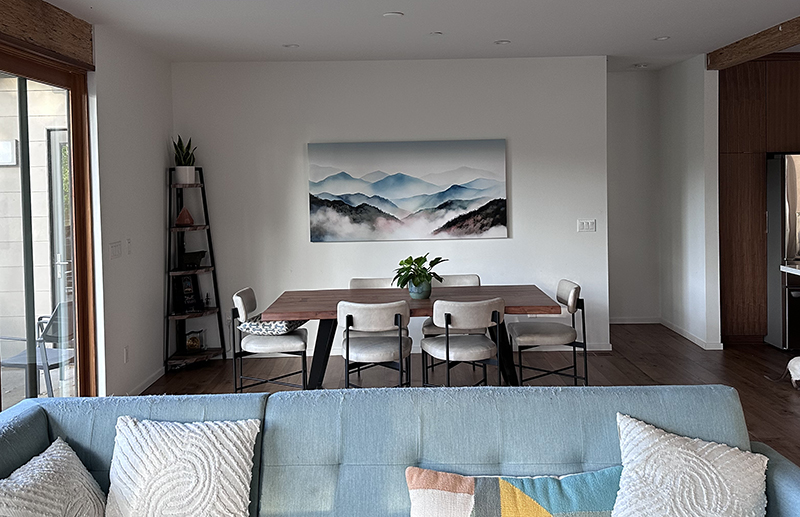 Early Midjourney images were low resolution and locked to a square format, so I leaned on some older techniques to make them usable. I used tools like Synthetik’s Studio Artist to artistically up-rez the images and experiment with texture and scale. Around the same time, I had just moved into a new house and had a large empty wall in my dining room. I found a piece I liked at a gallery in San Francisco, but it was $16,000. Instead, I used Midjourney to generate “a painting of Mount Tamalpais viewed from Fairfax.” It didn’t look realistic at all, but the color palette felt right. I printed it as a six-by-three-foot canvas for a few hundred dollars, and it showed up at my door less than a week later.
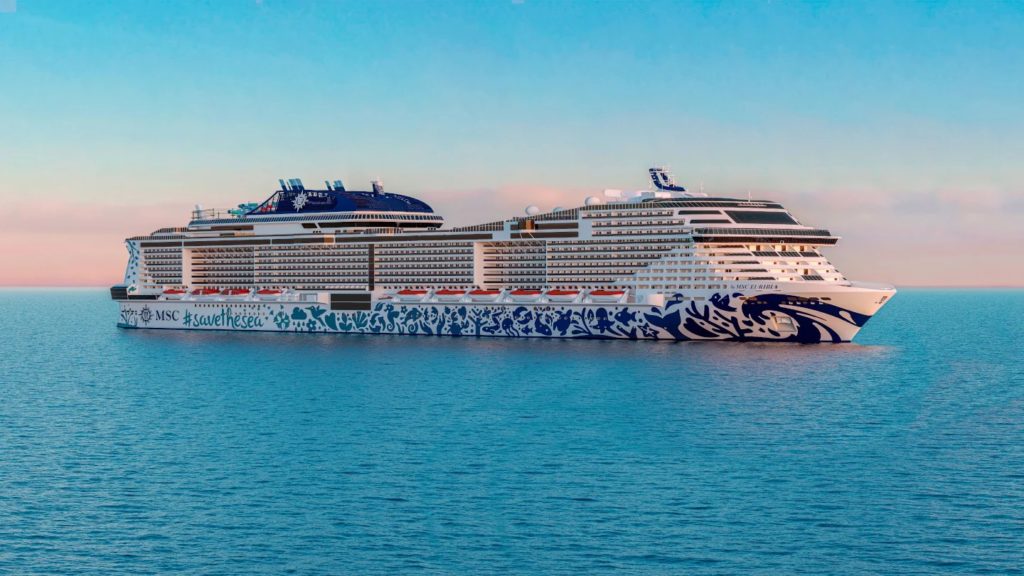 In November 2022, I started using AI on real client work. We had just delivered a large amount of CG content for MSC Cruises’ ship, MSC World Europa, and they immediately asked us to design content for another ship, Euribia.
This time the 103 meter (23k) ceiling was much larger, and the aesthetic needed to feel more classical. When we couldn’t find strong reference material, I turned to Midjourney to generate mosaic-inspired imagery. Within an hour, I had a solid set of concepts. I stitched a few together in Photoshop to help the client see the idea quickly, and they responded right away.
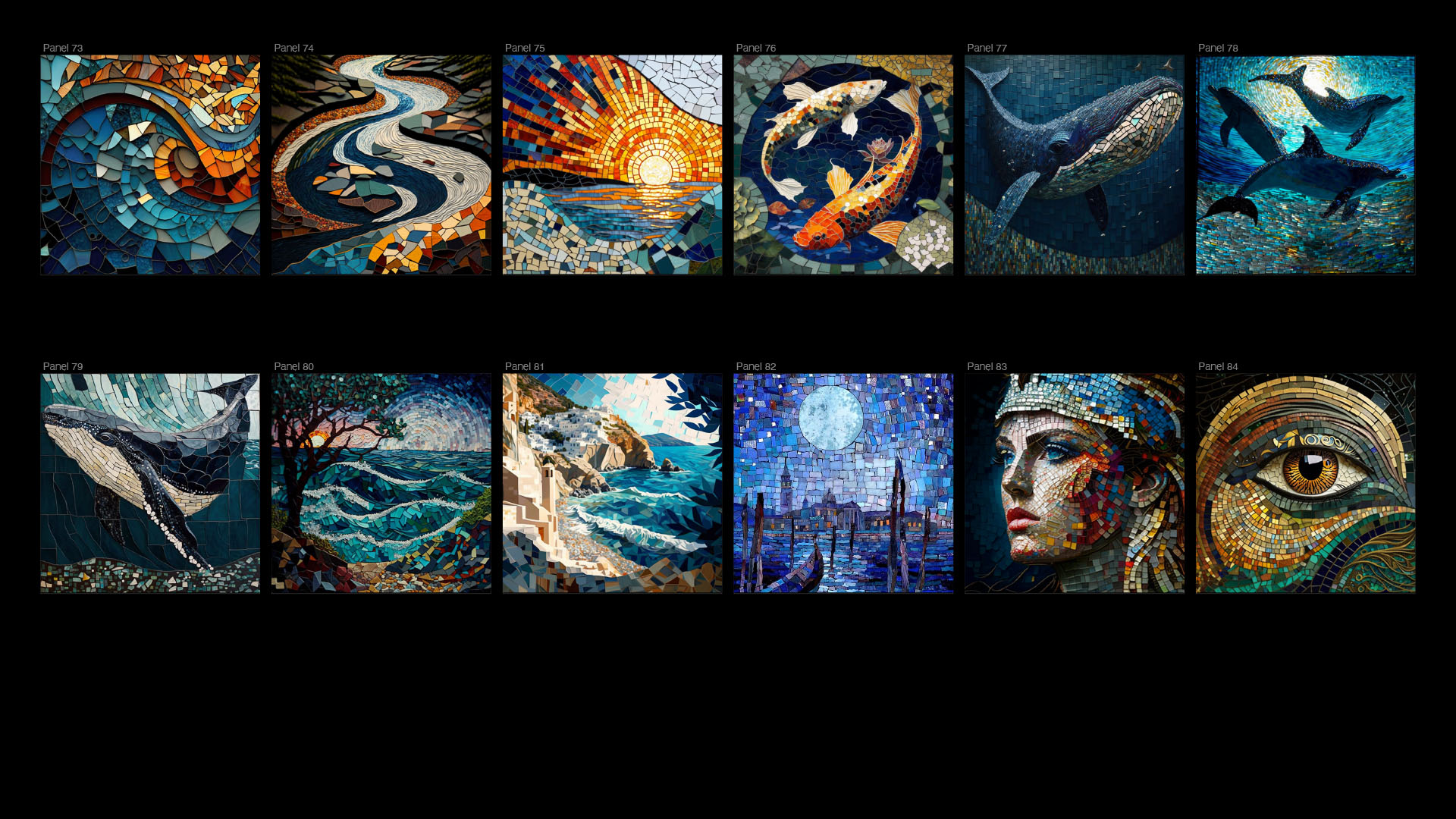
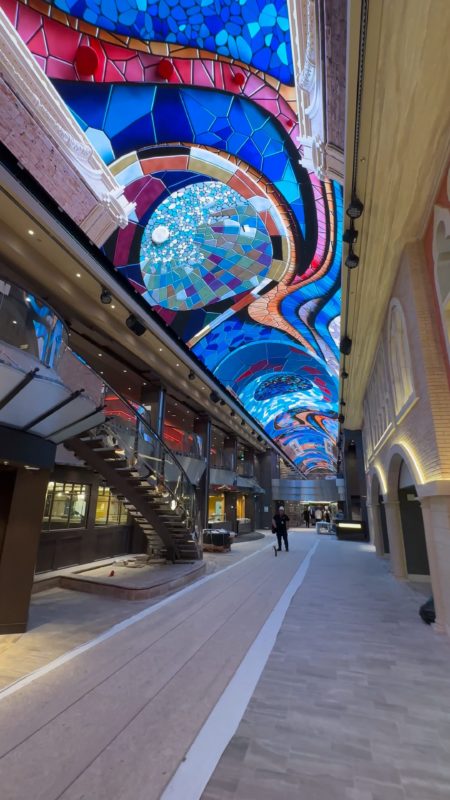 Those images became the foundation for the final artwork, which was later translated into procedural mosaic geometry by our 3D team. That project also pushed me to rethink storytelling at scale. MSC later asked us to explore a narrative idea for Euribia, something more cinematic and story-driven. I struggled to imagine how a traditional linear story could work across a 100-meter ceiling, so I used ChatGPT to help brainstorm. That process led me toward a collage-style approach, where imagery could transition fluidly across the space while a voiceover carried the narrative. Even though the client didn’t ultimately pursue that idea, the way I used AI to think through the problem ended up being a turning point for how I approach concept development.
A year later in the summer of 2023 we were about to start a recurring project for our client Confluent’s annual conference. Every year we would create the keynote opening video, using a combination of stock footage with overlaid motion graphics.
At the time we were starting to see the first Gen AI video models coming out from Runway and Pika, so we pitched the idea of creating this video using AI video instead of the stock footage for the backgrounds, while continuing to use the hand-crafted motion design elements on top.
Though the quality of the AI video was technically terrible, Confluent was on board to try something new and embellish this cutting edge process. Having the motion design elements on top of the Gen AI gave viewers a clean foreground element to watch which distracted them from the glaring issues of the GenAI backgrounds.
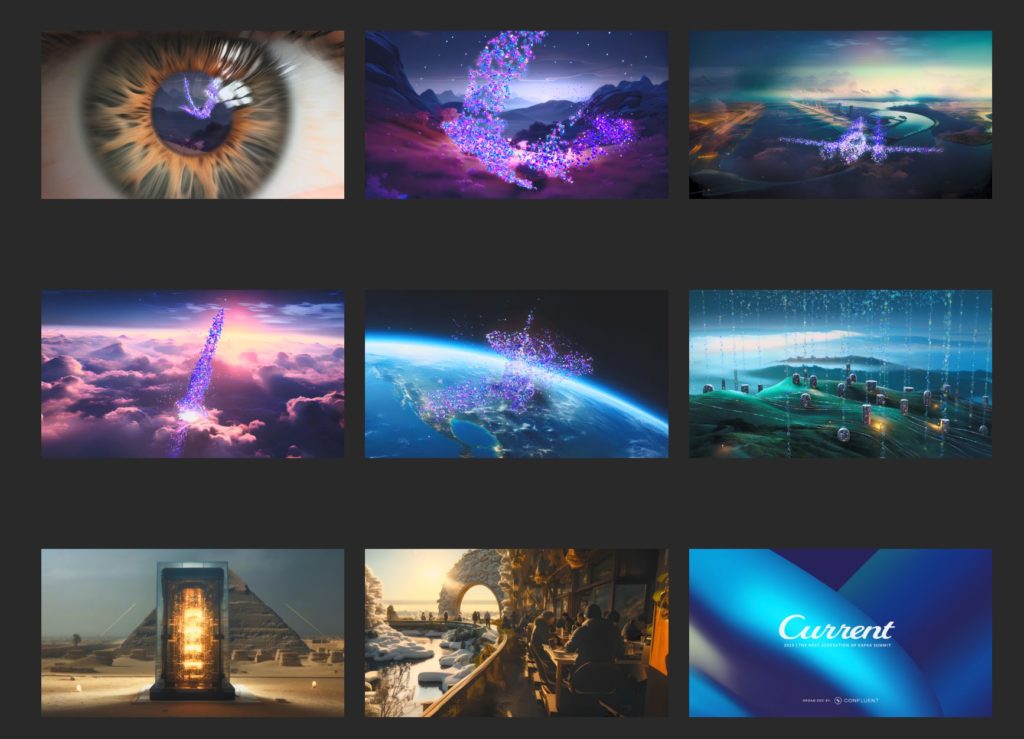 We also utilized a lot of out traditional CG and compositing techniques to integrate the Gen AI elements. For example, we composited Gen AI into CG backgrounds to better control the shots over time, and found ways to use old tricks such as nested “super-zooms” with multiple Midjourney images.
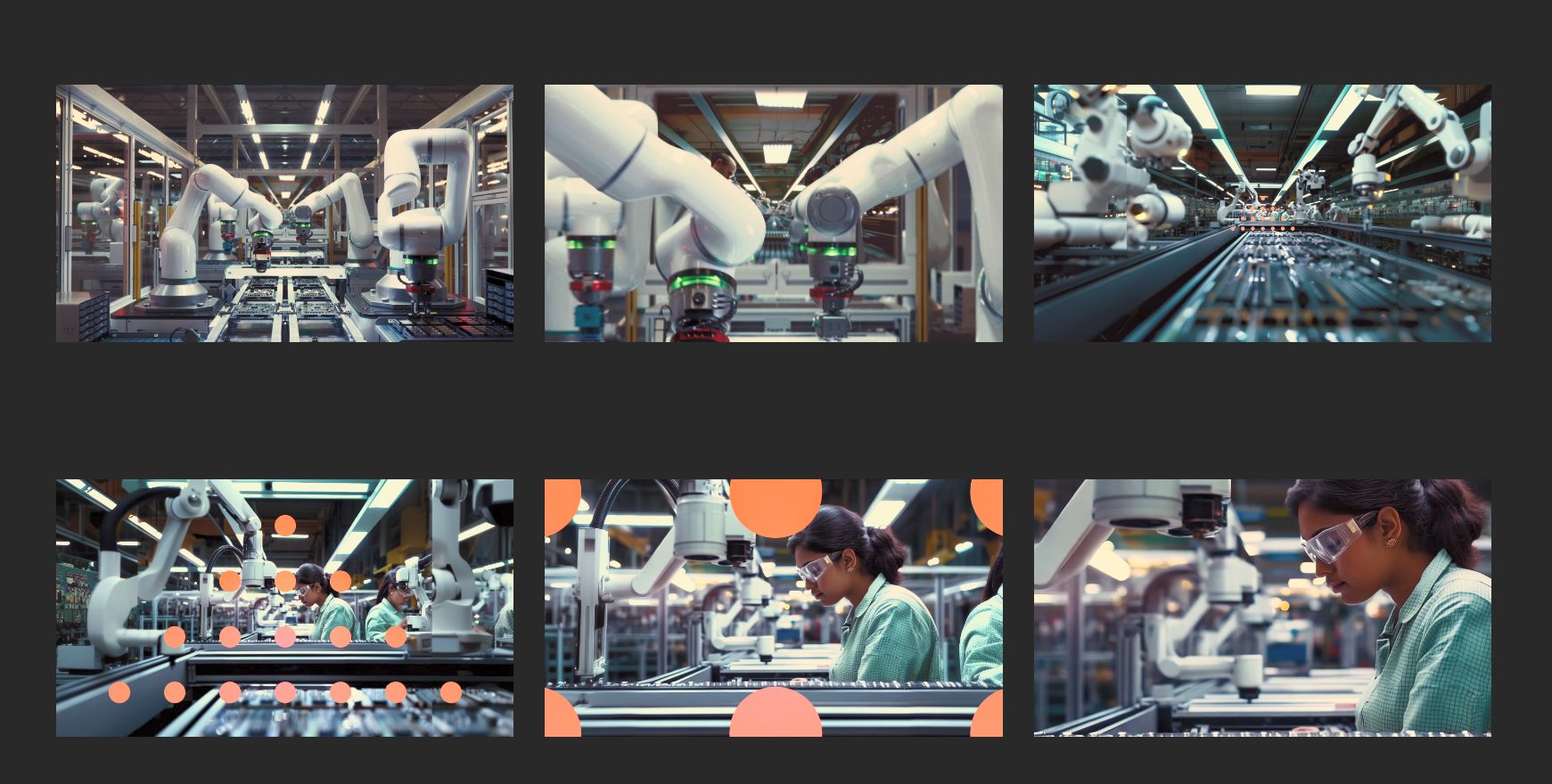
A year later in the summer of 2024 our client Workday called for a similar conference show opener. Their initial thoughts were to do it as we traditionally had done with stock footage, but again we wanted to do something fun with Gen AI. Runway had just released Gen3 which took Gen AI video to another level. It was night and day better than the version we used a year earlier. No longer was the video looking like smearing paint. It could pass for photorealistic live action shots if sprinkled into other live-action stock. Workday’s tagline for the show was “Forever Forward”, so I pitched the idea of using the same nested “super-zoom” technique we used on the Confluent project to fly the camera forward through Midjourney worlds which would then land on a live-action Gen AI video clip, followed by a sequence of stock leading up to the next nested zoom. Limiting the amount of time spent on a GenAI clip prevented the viewer from being exposed to the uncanny valley. The client loved the idea, so we proceeded to move forward with the project which included building a custom plug-in for After Effects to automate the Super-Zoom process (and plan to give this away for free on aescripts.com when we find some time).
Click the GIF below to view the final video production:
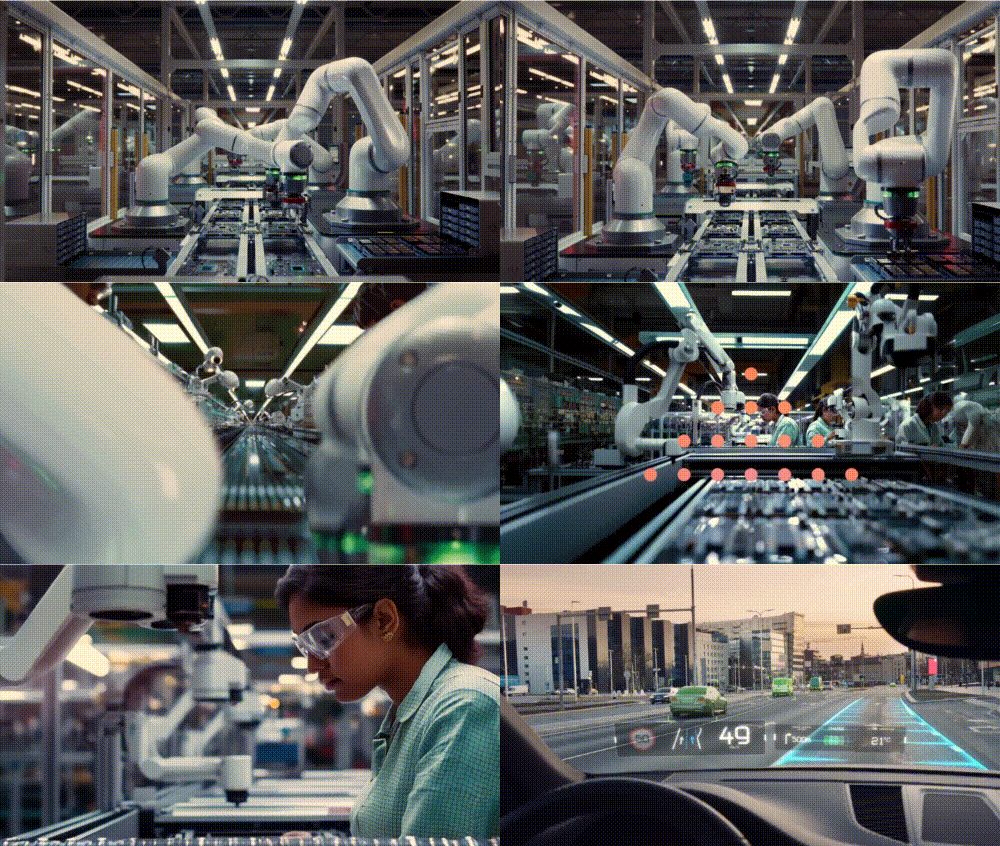
Another year passed and in the summer of 2025 we were tasked with creating another show opener for Confluent. They gave us a fantastic script which was structured to show what it would be like to live in a world without Confluent’s technology, then at the end we see the same people loving life using Confluent’s tech. For example, a woman is late for her plane running through an airport, then we cut to see her at the gate and she missed the flight.
At the end of the video the same woman is sitting on the airplane enjoying her flight. In the past the only way to produce the client’s script was really to shoot it live-action, which would have been prohibitively expensive to get the shots in the airport and in an airplane. We would have had to change the concept to be more of an anthem video like we did in the past using stock footage, since there’s no way to find the same stock actor in the specific scenarios we needed. Based on everything we were seeing come out over the past few months, we were very confident that we could produce their script in Gen AI and make it indistinguishable from a live-action production. And again, Confluent was super excited to play in our AI sandbox.
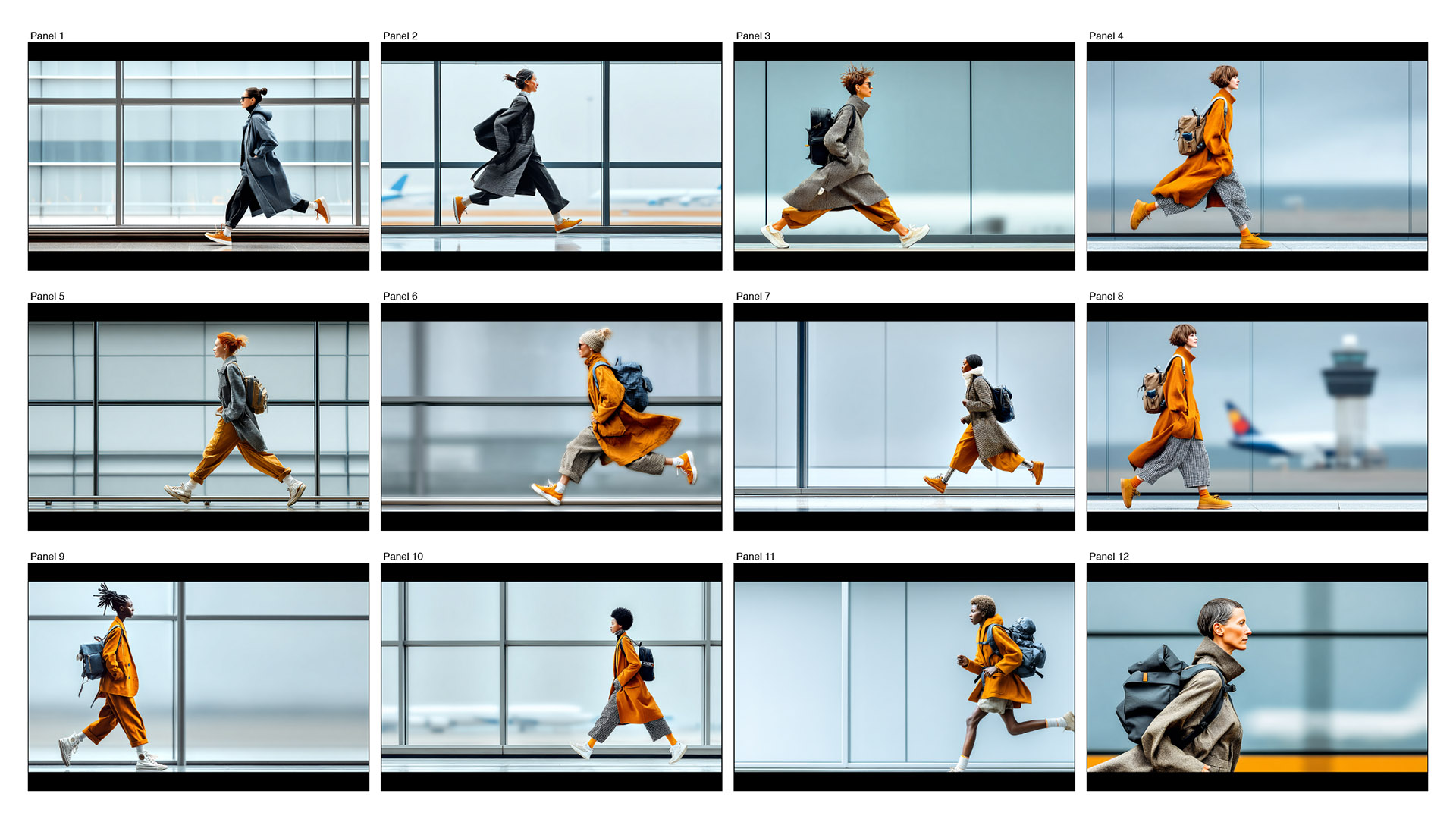
I tried to crew up a team similar to how we would handle a live-action production where I would take the role of Director and hire a freelance Director of Photography. In this case I hired Kelly Boesch as my “AI DP” after becoming aware of here amazing Gen AI art. I gave Kelly the script and had her generate multiple options of styleframes for each shot. This gave us multiple options for characters and locations to present to the client in our first review. Kelly then circled back and refined the selected characters and locations into final still styleframes which we used to produce the final storyboards.
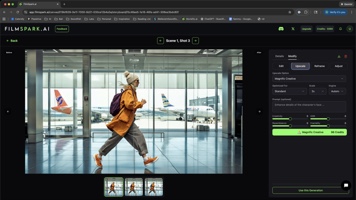 We cut these stills into an animatic to work out the timing to the VoiceOver, then our staff Creative Technologist Trevor Foster proceeded to fine tune the stills using Nano Banana, up-res them using Enhancor, then finally convert them to video using a a wide array of models including SeedancePro, Veo, Kling, Sora, Minimax, and Wan. Even our mograph elements including data-viz overlays, UI’s, and the end-tag were done with GenAI. Overall the results look great, and if we had to do this same job today it would look even better.
I like to tell people that we used to tell our clients we can do it in CG or traditional animation. Today we will tell our clients we could do it in AI or traditional CG. Things have changed fast. And I want to go through our history of using gen AI over the last three years and discuss, how we’ve been utilizing it and how far it has come.
Q: Do you have a specific approach to creating video clip or segment in your production? Collaborators?
The secret to our AI success is having our years of doing it “the old way”. This gives us the foresight to start the process with the right foundation, and take it to the finish line by leveraging traditional motion design, vfx, compositing, and finishing workflows. We try to mimic the traditional production pipeline whenever possible, though we find that it often shifts the order of operation in different ways on every project. Like most projects we start with moodboards to gather references. In the past, we’d use these solely as a reference since we grabbed them from Google or Pinterest and did not have the rights to use them. They were solely used for inspiration. Once the client approved a direction, our design team would then create bespoke styleframes using tools like Cinema4D or After Effects. In the age of AI, the mood board and styleframe phases blur. Our AI moodboards have become the styleframes. We perfect the AI styleframes using AI editing tools like Nano Banana and Magnific. Once we have a perfect styleframe, we then use a wide variety of GenAI Image to Video models to bring our styleframe to life. The choice of model is dependent on the task at hand. For example, if we need actors to speak their dialog with accurate lip-sync we use Google Veo. If we want First/Last Frame interpolations we use Kling. If we need physics simulations like water or explosions we use Wan.
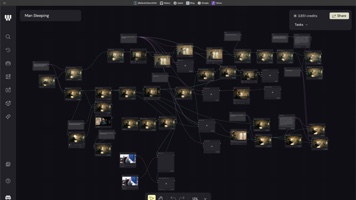 All of these steps require different GenAI models being developed by a wide ecosystem of vendors. It’s very difficult to keep track of the latest and greatest, and even if you do it requires working on disparate websites each requiring their own subscriptions. Over the past year we have had a new paradigm arrive to match the way we traditionally work with our professional content creation tools. We finally have artist-friendly host applications (i.e webapps) to run the AI models as plug-ins.
When we work with a host 3D application like Maya or Cinema4D we have access to plug-in renderers like Redshift or Arnold. When we work with After Effects, we have plug-in effects like Trapcode Particular. The past three years we have been essentially working with plug-ins before they had a host application to live in. We now rely on two main hosts at iBelieveInSwordfish, Filmspark (formerly called Movieflo while in beta) and Weavy. Both of these webapps run as a single subscription service that gives you access to the majority of the top GenAI models (the main exception is MidJourney). Both Filmspark and Weavy curate the top GenAI models for you, so you don’t have to hunt through literally thousands of models currently floating around the web.
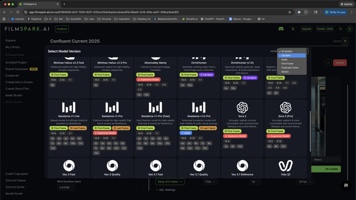 The big difference between the two is the UX. Filmspark uses a linear film-making production process from concept, to script, to casting actors/locations/props, to storyboards, to videos, to editing, to export. Weavy’s node-based UX mimics the way traditional visual effects compositing is done in programs like Nuke. A node based UX is an extremely powerful paradigm for granularly controlling every detail of a shot. But just like Nuke, it excels at working on a single shot at a time and falls apart when trying to work on multiple shots or scenes within a single setup. As node setups get complex, a single browser window becomes bogged down trying to draw multiple images and movies concurrently, eventually getting to a point where it is unusable.
This is why Filmspark shines for multi-shot scenes, since the project shares styles and assets globally. This allows consistency between individual shots living in separate browser windows without degrading performance as the number of shots increases. So back to my idea of “doing it the old way”, a good analogy of how we are using both is how we typically work with a combo of Premiere and After Effects. We assemble the show in Premiere, then work on individual shots in After Effects which then get overcut back in Premiere. We assemble AI shows in SparkAI, then work on individual shots in Weavy which then get overcut back in SparkAI (or NLE). An even better analogy is Resolve. The FilmSpark UX steps us linearly through the process just like Resolve’s tabs. We assemble our story in Resolve’s Edit tab, then can do a complex effect on a single shot using a node based compositor in the Fusion tab. Then we jump back to the Edit tab or to the Color tab to continue the linear steps. You could do the entire job in the Fusion tab from edit to effects to color. But you wouldn’t want to do that, just like you wouldn’t want to assemble a scene or show in Weavy.
Project Production Workflow
Film Short: The Mexican Fisherman
Q: Can you walk us through a typical workflow and breakdown of a project using AI?
Yeah… I recently completed a personal project at the end of last year called The Mexican Fisherman. It’s an old parable that I read probably about 15 years ago. When I first read it, I thought, this is an animation that I want to create, but I never had time.

One of the things that I love most about Gen AI is that anybody can now tell their story. So in this case, I wanted to create this short film in an animated Japanese watercolor style. Instead of using one of the preset animation styles that FilmSpark provides, I created a custom style through an AI “sketching” phase. What does the Mexican fisherman look like? Where does he live? Who is he? My Creative Director Dean Foster came up with a great character design using Midjourney, so I used that as a style reference to create the environments.
Once this sketching was completed, I loaded the final references into FilmSpark to create a custom style for the project. That became a global setting for everything created in the project. I didn’t have to worry about all the details of this prompt anymore. Everywhere I prompted, it knew that this is a Japanese watercolor.
In this screenshot of our AI Actors, you can see the original Midjourney Mexican Fisherman character that Dean made on the first panel. We then used AI reframing to make a Close-Up version of his face, so anytime that we needed to use a close up shot we would reference the close up actor for higher fidelity and accuracy. We also needed a version of him without the hat for flashback shots, so we used Nano Banana to load in the original image with the hat and prompted, “Remove the hat”. This produced a new AI Actor for use in the alternate scenes.

Additionally we used the same technique to make his wife, banker, and all the other characters in the film. For example, the banker was an iterative nano banana process where he had a long ponytail at first, so we cleaned up his hairstyle, then we added sunglasses, then we added the watch, and then we changed the shoes. This iterative approach to character development gave us complete control to get to a final Actor.
We did the same process to generate locations and props. We created the coastal village pier and the cannery, a couple of the key locations, and then finally we created a prop for the fishing boat because anytime that I see the fisherman, I wanted to make sure that it was his same boat out in the water. Once I had the assets complete. It was a matter of going through each scene and making the storyboards.

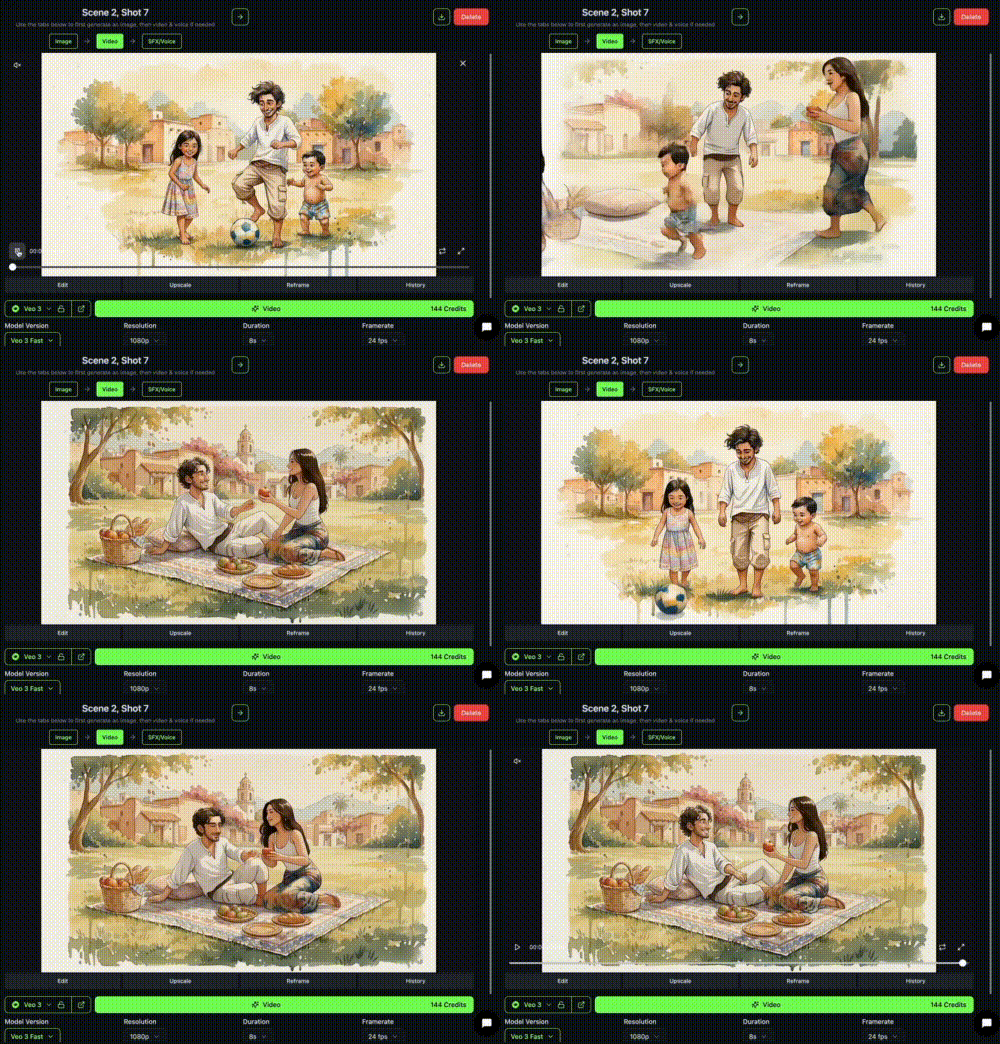
In this case, to generate the image I wrote a very simple description in natural language– “The Mexican fisherman plays soccer with his kids at a park in a small Mexican fishing village.” FilmSpark then does the hard part under the hood, writing the complex prompt in the proper syntax for the specific Ai model being used. We then choose Actors, Locations and Props from our asset library. In this case we needed the Mexican fisherman without the hat and his two kids. Once all of the shot details are filled in, we are able to generate the still image using Nano Banana or one of the other leading still image models including, SeaDream, Imagen, or Ideogram.
 Once we had the image, we were able to use a video model such as Kling 2.5 turbo to create what we call a first frame/last frame transition. In this example, on the bottom left you can see the first frame of the fisherman playing soccer with his kids, and on the right is the last frame of him having a picnic with his wife. We used the Kling 2.5 Pro model to generate the video, resulting in a beautifully elaborate transition from one shot to the next. We used these first/last frame transitions during all of the flashback/fantasy sequences to differentiate these scenes from the dialog scenes happening in the present.

All of the dialog scenes were started with the same process to create the still first frames, but we relied on Google’s Veo 3 model in FilmSpark to produce the lip-sync animation. Again, FilmSpark handled the hard part by taking our natural language descriptions and turning them into complex prompts with specific syntax for the Veo 3 model. Simply entering the VO script into the Dialog field allowed the character to speak the dialog in the rendered video clip.
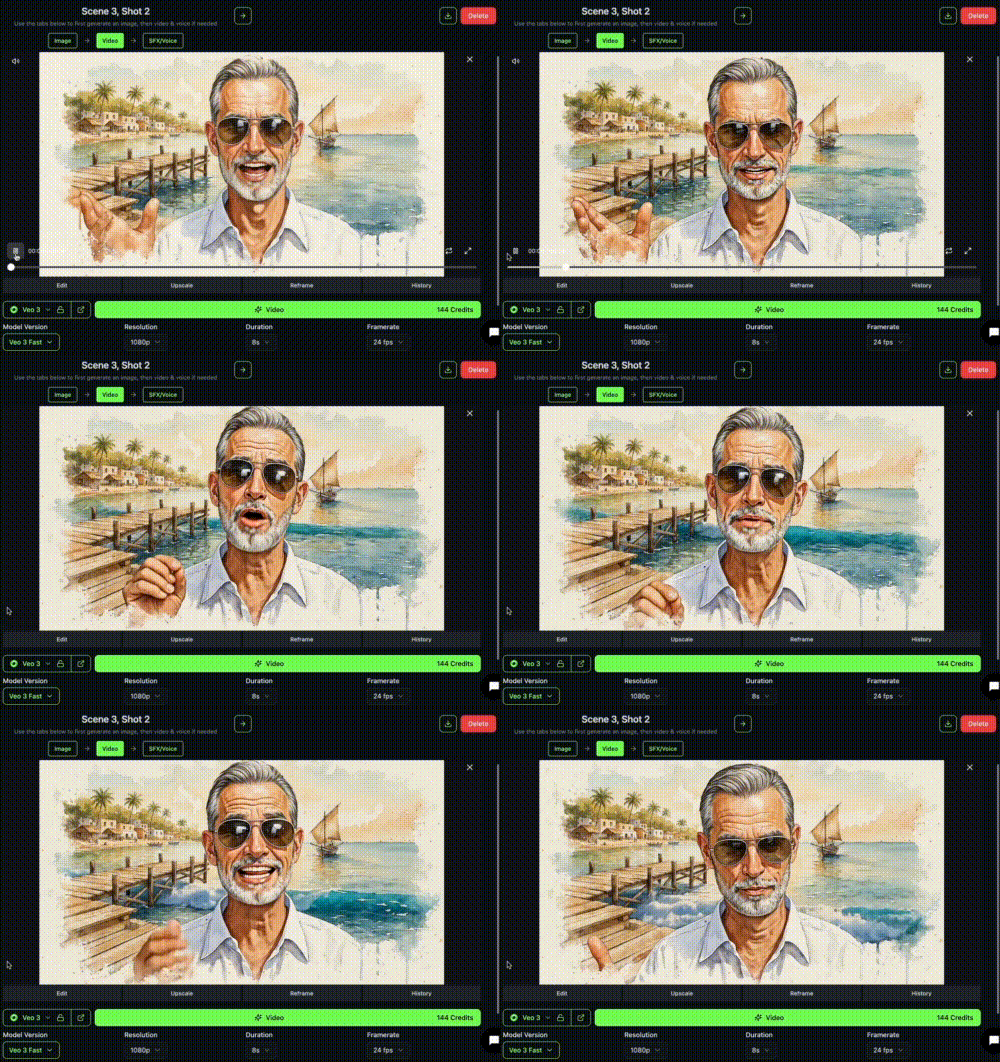
We already had a pre-defined AI voice for our characters generated in Eleven Labs which we were using in our edit for timing. Using the Veo 3 video posed a problem since the businessman’s voice that Veo generated was not the same voice as the final actor – it was just generating a generic voice. To fix this problem, we exported the MP4 Veo movie from FilmSpark and imported it back into ElevenLabs, then used their voice changer tool to swap the voice from the Veo voice to the pre-defined AI voice for the businessman. The Eleven Labs audio file was brought into our edit in Davinci Resolve and swapped with the audio from the Veo clip. The final VO syncs back perfectly.

And in this case, I then brought it in to resolve where I was doing my final edit, and I did a swap on the audio and everything lines right back up.

Finally, once we had all the shots cut together in Resolve, we color graded to balance out all the shots and make sure that there was consistency.

The final step was to add the music and sound effects, which we created in Udio and Eleven Labs respectively.

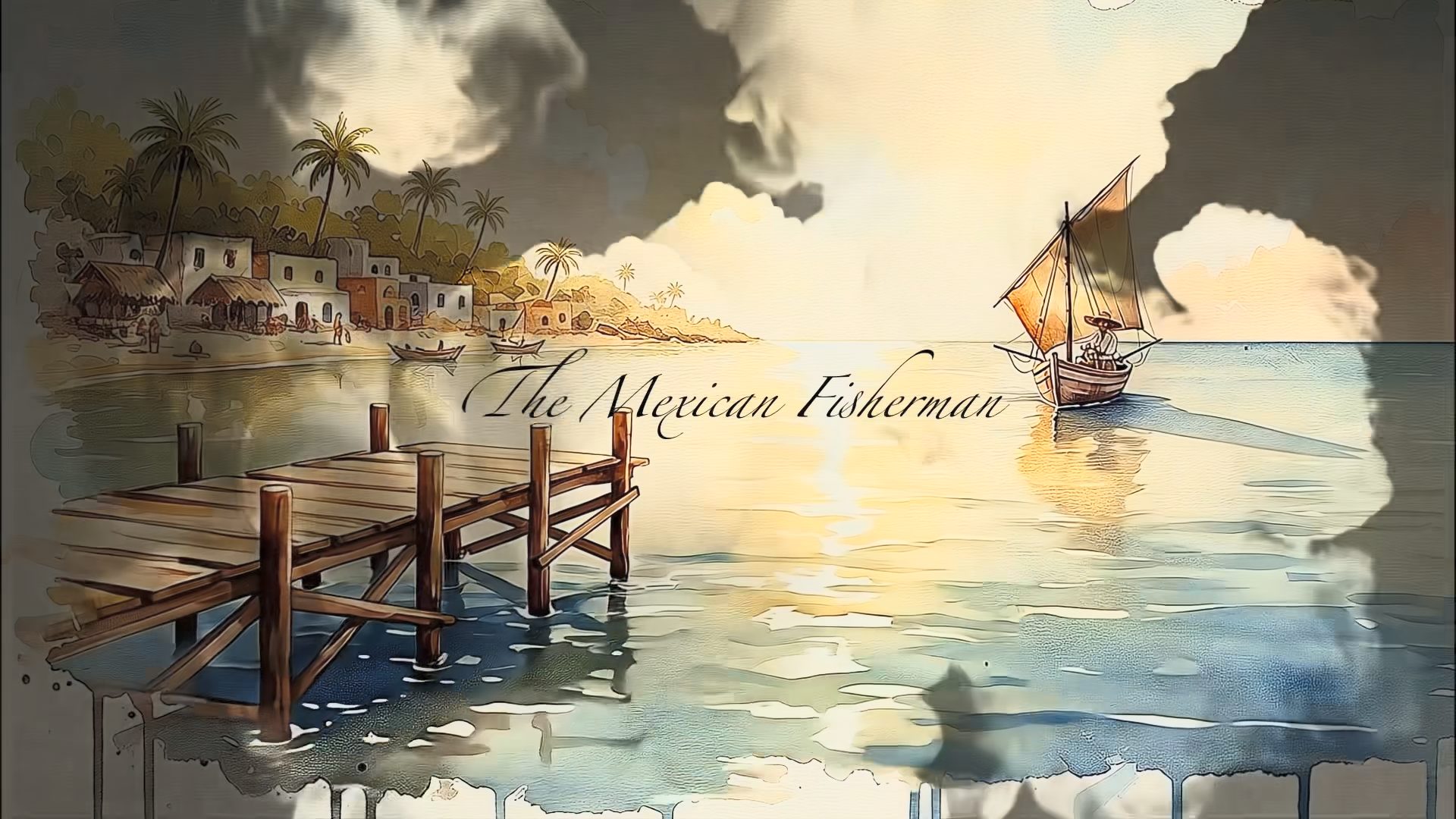
And, the final piece came out like this: (Image links to website with embedded video)
Q: We talked a bit in our Zoom call about the state of Generative AI tools and our industry. Can you please expound on your insight from a real-world production standpoint?
Looking back over the past few years has been insane. Text to Image is perfected with MidJourney and Nano Banana, and the still editing capabilities are 95% there. Image to Video is really good and we have successfully been using it in production. It’s more than good enough depending on the shot. For example, the more people in a shot the exponential chances one of the actors will not perform. If you understand the constraints and can design around them, the tech is ready.
So looking forward, the next big thing is “editing” video (not video editing!). Nano Banana for video. The initial Runway Aleph demo was impressive, changing environments and point of views through text prompts, but turned out to be a lot of demo magic. But their examples looked legit. They are far from perfect, but for a lot of use cases they are good enough. The tasks they are trying to tackle are the typical types of work I used to do as a Flame artist or a Nuke compositor. Everyone in that world needs to start digging in now.
As a wise man said, “this is the worst AI is ever going to be.”
Matt’s Links:
Website: www.ibelieveinswordfish.com