
With global ecommerce sales projected to reach almost $8 trillion by 2028, the importance of ecommerce content management system (CMS) platforms is growing.
Behind every successful online store, there’s an ecommerce CMS—the tool that makes sleek website interfaces, high-resolution images, and detailed product descriptions possible.)
An ecommerce CMS allows you to present a well-designed, trustworthy website, integrating a user-friendly front-end interface with secure back-end management.
In this guide, you’ll learn about the top CMS platforms powering successful online stores and the features that set the best ecommerce CMS platforms apart.
What is an ecommerce CMS?
An ecommerce CMS, or ecommerce content management system, is software that enables businesses to create and manage digital content on their online stores. That content can include multimedia web pages, product listings, blog posts, and more.
CMS vs. ecommerce platform
While a CMS supports the digital management of content, an ecommerce platform specifically enables checkout and sales.
Here are the key differences between the two:
| Standalone CMS 📝 | Full ecommerce platform 🛍️ | |
|---|---|---|
| Responsibilities | Collection, management, and organization of digital content like blog posts, landing pages, media assets, and more. | Enables digital commerce through cart and checkout functionality, payment processing, product organization, and inventory and order management. |
| Flexibility | Very high flexibility on both the front end and back end. | Open-source or headless ecommerce platforms can be very flexible. SaaS ecommerce platforms can be less flexible but have lower setup times. |
| Typical use cases | Blogs, portfolios, media sites, and content-first brands. Also works well for creators who initially build a content site and later add commerce. | Brands selling physical or digital goods, marketplaces, crafts, and subscription models. Cases where full commerce features are required from the start. |
Types of ecommerce CMS solutions
There are two primary types of CMS platforms—software as a service (SaaS) and open source.
SaaS
SaaS ecommerce CMS services charge a subscription fee to use a CMS hosted in the cloud, ensuring ease of use, security, and continuous updates. Shopify and Squarespace are examples of SaaS platforms.
Pros of using a SaaS ecommerce CMS
- Lower upfront costs
- Ease of use
- Scalability
- Automatic updates
- Access from anywhere
- Integrated payment options
- Built-in security features
Cons of using a SaaS ecommerce CMS
- Less customizable than open source platforms
Open source
These CMS platforms are free to download and adapt, giving users more ways to customize them. However, they typically require technical coding expertise to operate. WordPress is an example of an open-source software.
Pros of using open source software for ecommerce CMS
- Free to download and use
- Fully customizable
Cons of open source software
- Web hosting and development services, which are not included, can get expensive
- Must have development expertise
- Users must manage their own website security
Headless CMS vs. traditional CMS for ecommerce
Headless commerce is a model of ecommerce architecture where the front end is separated from the back end of the website. Because businesses can make changes to the front end without having to touch the back end, it provides more flexibility and freedom. Brands might choose a headless architecture to provide a more omnichannel brand experience, or build a customized website.
In contrast to headless commerce, traditional commerce (monolithic systems) couple front-end and back-end systems. While less customizable, they are also less complex to set up.
Choosing a headless versus monolithic model is a key part of your ecommerce strategy. Below, review the benefits of headless architecture.
Benefits of headless architecture
The benefits of headless commerce include:
- Omnichannel experience. Craft more enriching customer experiences by unifying online and in-store shopping.
- Rich personalization. Since headless CMS solutions centralize all customer information, it’s easier to show personalized content based on prior purchases and keep online and in-store purchases reconciled.
- Flexibility. Take a more modular development process and choose your ideal tech stack with no limitations.
- Agility and speed to market. You can benefit from faster development time, as developers can work on the front end and back end of your website at the same time.
- Scalability and performance. Grow your website on the front end without disrupting your store’s core ecommerce functionality on the back end.
Brands like Taschen, Denim Tears, Ruggable, and BYLT have achieved strong results by going headless or building custom storefronts with Shopify’s Hydrogen framework.
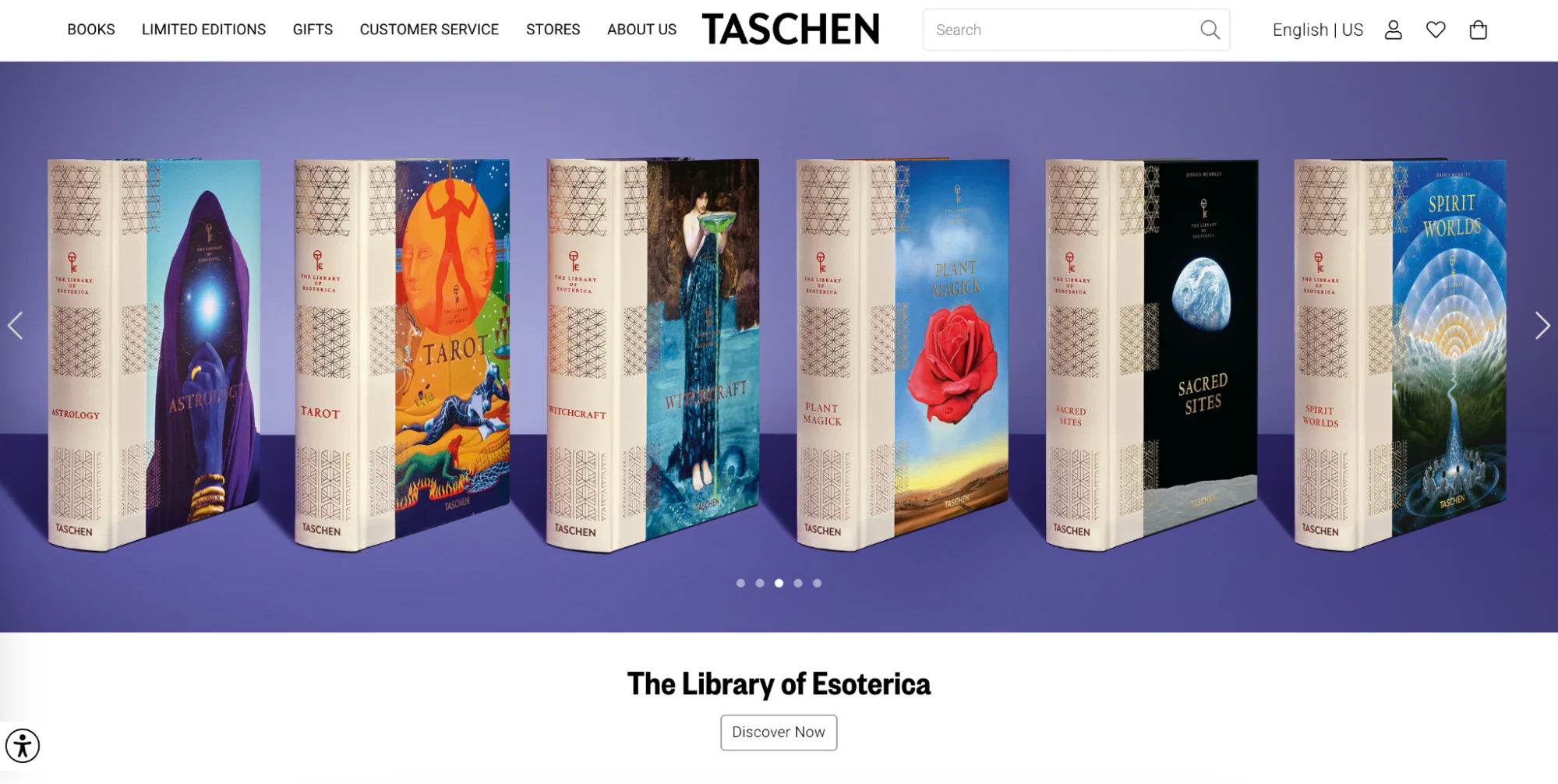
Taschen publishing house saw a 20% increase in sales after switching to a headless CMS on the Shopify Plus plan. “Shopify Plus improved the customer experience, our sense of control, and enabled new products to come into play,” says Gaëlle Mehanna, ecommerce director at Taschen.

Denim Tears’ agency, Kamp Grizzly, leveraged Shopify’s Hydrogen framework and saved time to deliver on Tremaine Emory’s storytelling, museum-like vision.
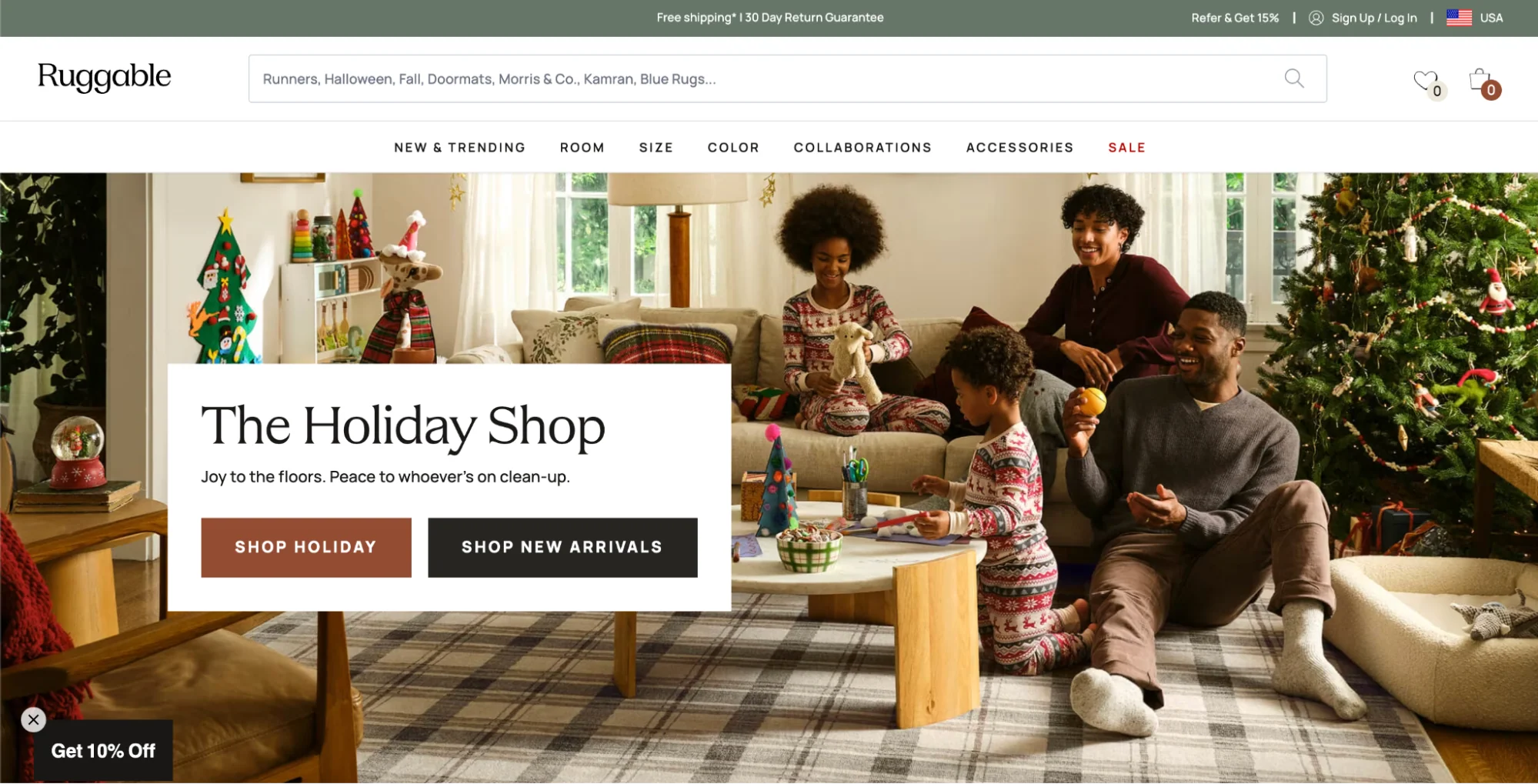
After switching to a headless CMS, Ruggable noticed changes in its site speed and reliability. “The site is so much faster for our customers, leading to conversion and SEO boosts. Google sees our website as being much faster now and is sending a lot more traffic to us, which is fantastic,” says Daniel Graupensperger, director of product management at Ruggable.
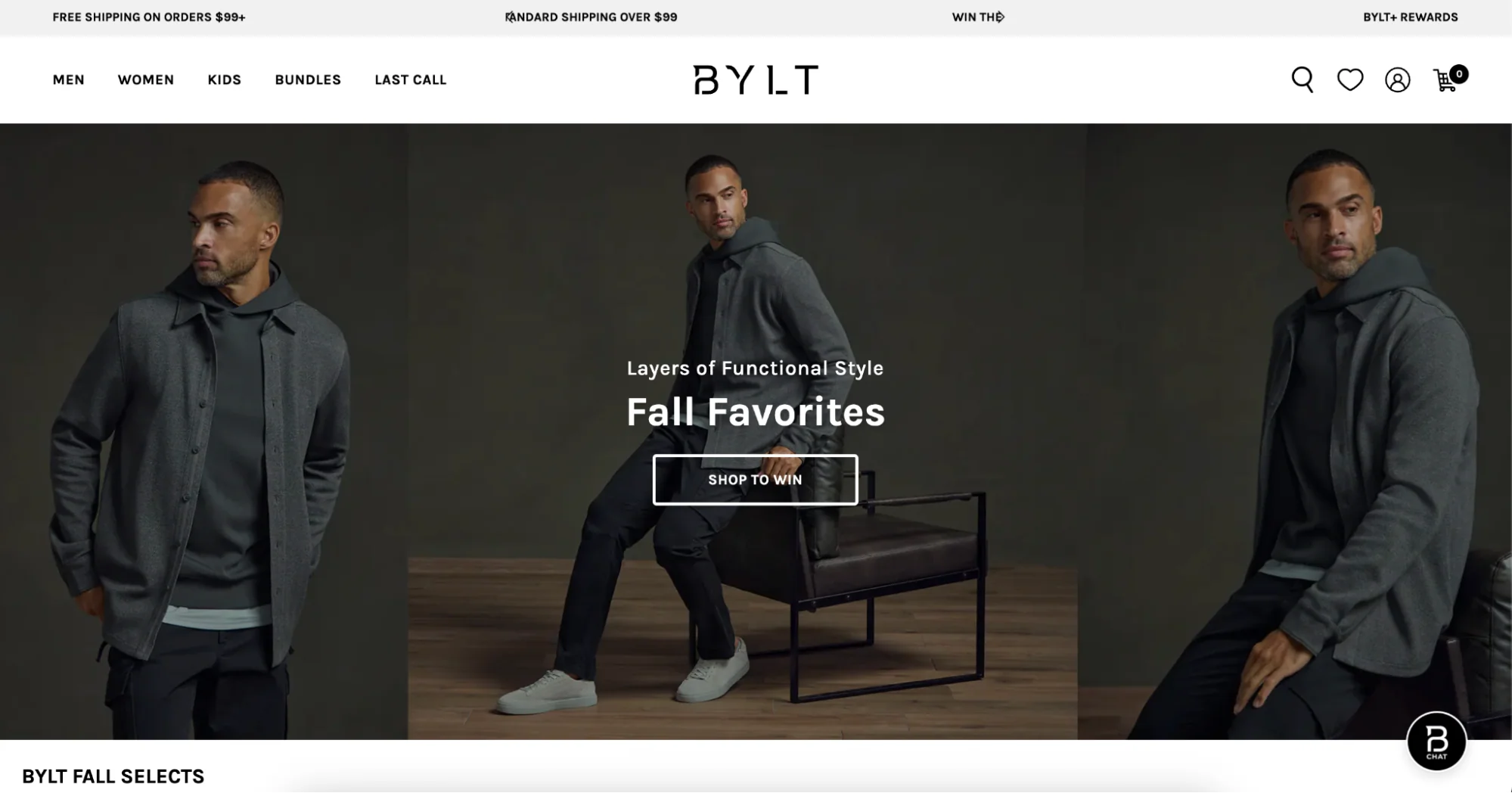
“Since moving to Hydrogen, we’ve seen immediate improvements in site performance and server-side rendering,” says Ryan Groh, head of ecommerce at BYLT. The brand was able to unify brick-and-mortar and ecommerce segments of the business, resulting in expansion from one to seven profitable retail stores. It also drove more than 50% of DTC conversions through Shopify Payments.
When to choose traditional vs. headless
Both traditional and headless CMS options for ecommerce come with pros and cons. When contemplating which style is best for your business, consider the following:
- Whether you have the technical resources to build and maintain a headless architecture. While headless systems allow for a great amount of flexibility, they also take a lot of time and cost to maintain.
- Your overall budget. Headless platforms are significantly more expensive to develop and maintain than traditional platforms.
- How quickly you need to get up and running. A traditional ecommerce engine is fast to deploy, where headless solutions can take months to build.
- Your current or projected revenue. Businesses that choose the headless route often generate more than $100 million in online revenue, and brands that choose the traditional route often see online revenue between $20 and $50 million.
- If there are any specialized requirements you’re looking for that a traditional ecommerce CMS cannot provide.
Ecommerce CMS features
Here are a few features to look for when choosing an ecommerce CMS:
Ease of use
You probably didn’t become an ecommerce entrepreneur to spend your days tinkering with your online store. An intuitive, easy-to-use ecommerce CMS platform will cut down on time spent managing the technical aspects of running your ecommerce site, so you can focus on growing your business. For example, home fragrance brand Pura reduced development time related to checkout functionality by 50% with Shopify.
Look for an easy-to-navigate dashboard, clear settings, and a high-quality help center (to minimize the need for technical support). A free trial is a great way to find out if an ecommerce CMS’s interface is intuitive to you.
Media management
A great ecommerce CMS will make it simple to manage your digital assets by creating a library of the photos, blogs, videos, and PDFs you’ve used on your website. This organized system can help you save time creating and updating content.
Support for integrations
A robust ecommerce CMS will offer a wide range of integrations with other softwares to make for seamless ecommerce functionality and boost efficiency. For example, an ecommerce CMS might integrate with your email platform, customer relationship management (CRM) software, and inventory management software.
SEO features
A content management system with built-in search engine optimization (SEO) tools helps you optimize product descriptions, images, and other content for search engines like Google. Look for a CMS that automatically generates robots.txt and sitemap.xml files—which help search engines crawl your website—and adds canonical tags to pages to prevent duplicate content from harming your search performance.
For businesses using Shopify, implementing Shopify SEO techniques can help increase your search engine rankings. Ecommerce SEO features can also help you improve the success of your content marketing strategy with optimized meta data. Effective content marketing can help you build search engine visibility and develop audience trust.
Omnichannel content delivery
Omnichannel commerce means enabling customers to browse, interact, and purchase across interconnected channels, whether that’s online, via mobile, in-store, or on social media, with a seamless, consistent experience. Ecommerce CMS platforms (especially headless or omnichannel CMSs) support this by delivering unified content across multiple touchpoints.
Learn more: Omnichannel vs. Multichannel: Key Differences
Top ecommerce CMS platforms
Here are some of the best ecommerce CMS platforms, with their features and pricing:
Shopify
Shopify is an all-in-one ecommerce CMS solution designed to help merchants easily build and manage their online businesses. With affordable plans, beautiful designs, and powerful selling features, Shopify is the easiest, most reliable way to start an online store.
Use the AI store builder to create a free store design in minutes or get started with one of many ready-built themes. Once designed, content management is easy with Shopify’s intuitive user interface (UI) and asset library.
From there, Shopify’s ecommerce functionality handles all of the essential functions of an online store, from inventory management to payment processing.
Who it’s for
Shopify is built for ecommerce businesses of all sizes, from solopreneurs to large enterprises to everywhere in between.
Features
- AI tools. Use Shopify Magic to streamline your store design process and create landing pages and product listings, then tap Sidekick as your always-on business consultant.
- Integrated payment processing.Shopify Payments is an integrated payment gateway that accepts all major payment methods. Plus, more than 100 third-party payment providers are compatible.
- Extensive app store. Access the Shopify App Store for more than 8,000 integrations.
- Customizable checkout. Offer customers a variety of payment options, including express checkout, in-store pickup, discount codes, and Shop Pay—the internet’s highest-converting checkout option.
- Shopify POS. Integrate with physical retail through Shopify POS, blending online and offline sales channels.
- Shipping and fulfillment. Built-in order, inventory, and shipping tools generate labels, collect import taxes, provide tracking information, manage returns, and more.
- Abandoned cart recovery. Boost sales with automated tools for recovering abandoned shopping carts.
- SEO tools. Shopify’s SEO tools handle the minutiae of SEO work—such as generating robots.txt and appending your brand name to meta titles—for you.
- Advanced analytics. Track sales, customer behavior, and other essential ecommerce metrics with robust analytics and reporting features.
- Advanced customization and API access. While coding isn’t required, you can tailor your storefront and back-end systems to meet your unique needs with extensive customization options and API support.
- Omnichannel and multichannel commerce capabilities. Ensure a consistent customer experience and manage inventory seamlessly across desktop, mobile, social media, marketplace, and in-person retail.
- 24/7 customer support. Enjoy round-the-clock support via email, live chat, and phone.
Plans and pricing
Shopify offers a wide range of plans to support businesses of all sizes:
- Starter: $5/month
- Basic: $29/month
- Grow: $79/month
- Advanced: $299/month
Start your Shopify free trial, no credit card required. Get three days free, then the first three months for $1 per month.
BigCommerce
BigCommerce is an “open SaaS” ecommerce platform, meaning it has SaaS functionality with an open API. BigCommerce has an enterprise-grade product along with an Essentials product for small businesses.
Who it’s for
BigCommerce’s primary product is for large enterprises.
Features
- Basic website builder functionality. BigCommerce’s ecommerce CMS for small businesses comes with basic website builder tools such as drag-and-drop page design and built-in mobile responsiveness.
- SEO capabilities. BigCommerce comes with SEO features like clean URLs and automatic redirects.
- Multichannel selling. Business owners can integrate their stores with social media and marketplace platforms, allowing them to sell products through these channels.
- Scalable infrastructure. BigCommerce’s enterprise product can handle high volumes of traffic and transactions.
Plans and pricing
BigCommerce pricing ranges from a Standard plan at $348 per year to a Pro plan at $3,588 per year, billed annually with a 15-day free trial. Contact sales for Enterprise pricing.
WordPress + WooCommerce
WordPress is an open-source content management system made for bloggers. You can use a WordPress site as an ecommerce CMS with the addition of the WooCommerce plug-in, which provides ecommerce functionality like payment gateways. Or, add on Shopify for WordPress instead.
Who it’s for
WordPress can be used by anyone, but it was originally built for bloggers.
Features
- Familiar UI for some. If you’re familiar with WordPress’s user interface, this allows you to use a platform you already know for managing ecommerce content.
- Customizable and extendable. WordPress has thousands of plug-ins and modifiable themes to extend the functionality of a WordPress website and help customize it. This can be a drawback for those unfamiliar with website development, as customization may require knowledge of HTML and CSS.
Plans and pricing
WordPress and WooCommerce are free. However, there are costs associated with hosting, domain registration, themes, payment gateways, plug-ins, and more.
Drupal
Drupal is an open-source CMS that offers deep customization but requires technical expertise. Drupal commerce is an open-source Drupal module that adds ecommerce tools like products, carts, checkout, and orders. Payment gateways, shipping, and fulfillment are available through contributed extensions.
Drupal is flexible and customizable, but as an open-source software, requires more technical expertise than ecommerce website builders.
Who it’s for
Drupal is for users with some coding skills.
Features
- Customization. With many modules and themes, and the ability to write custom modules, businesses can tailor their online presence.
- Scalability. The platform is designed to scale with the growth of a business while maintaining security standards.
Plans and pricing
Drupal is a free open-source software. However, there are costs for hosting, domain registration, themes, payment gateways, and more.
Adobe Commerce
Adobe Commerce, formerly known as Magento, is an ecommerce platform that includes a CMS component, designed to enable both business-to-consumer (B2C) and business-to-business (B2B) transactions. Adobe Commerce is designed for large, enterprise-level companies looking
for a highly customizable platform.
Who it’s for
Adobe Commerce is geared toward enterprise businesses.
Features
- B2B buying portals. Adobe Commerce allows B2B businesses to create self-serve B2B buying experiences.
- Inventory management. The platform offers inventory management to support B2C and B2B catalogs. It facilitates omnichannel sales by letting customers pick up online orders in-store.
- Enriched content. Modular capabilities allow product information and product links to be embedded in blog articles.
Plans and pricing
Adobe Commerce offers Adobe Commerce Pro and Managed Services plans. Contact Adobe for pricing information.
OpenCart
OpenCart is an open-source ecommerce platform. Its free version requires businesses to secure their own website hosting. It integrates with common payment processors and other third-party apps.
Who it’s for
OpenCart is for owners of small, simple stores.
Features
- SEO functionality. OpenCart offers built-in SEO tools to help your site show up in search results.
- Multilingual and multicurrency support. The platform supports multiple languages and currencies.
- Marketplace of designs. You can find templated page designs and themes in OpenCart’s marketplace. Some are free and some are available for a fee.
Plans and pricing
OpenCart is free. However, hosting, domain registration, themes, payment gateways, and more will cost you.
Wix
Wix is a website builder and CMS offering design templates and a drag-and-drop interface for site design. Wix offers some ecommerce features but isn’t purpose-built for ecommerce.
Who it’s for
Wix can be used by anyone with simple website needs.
Features
- Simple website builder. Wix’s drag-and-drop functionality lets users design their ecommerce store without coding.
- Templates. Design templates give users a head start in creating an online storefront.
- Integrated ecommerce features. Wix includes tools for inventory management, payment processing, and shipping.
Plans and pricing
Wix offers plans starting with Light at $17 per month and ranging to its Business Elite plan at $159 per month. Its Enterprise plan is available for businesses with custom pricing. It extends a 14-day money-back guarantee.
HubSpot
HubSpot is a software company best known for its customer relationship management (CRM) and marketing tools, but it also offers a CMS. HubSpot’s CMS isn’t purpose-built for ecommerce, but you can add ecommerce capabilities using HubSpot payment links or by integrating an existing Shopify store.
Who it’s for
HubSpot is for businesses who rely on inbound marketing and customer relationship management.
Features
- CRM-powered CMS. HubSpot’s CMS is integrated with its CRM system, which can help you enable personalized customer experiences.
- Drag-and-drop page builder. HubSpot’s drag-and-drop page builder can help you build a website without extensive technical knowledge.
- Blog maker: The platform offers a blog maker, allowing users to publish SEO-friendly content with a goal of driving traffic to their website.
Plans and pricing
HubSpot CMS offers a free forever plan. Paid plans for HubSpot Commerce start at $85 per month per seat when billed annually.
Squarespace
Squarespace is a website builder letting business owners create sites with predesigned templates. Its templated styles are both a benefit and a constraint—Squarespace is known for being minimalist and professional-looking, but also allows fewer customization options. Squarespace has integrated ecommerce capabilities as well as hosting services. It also offers additional features for content creators such as a course builder.
Who it’s for
Anyone with simple website needs can use Squarespace, and the platform has additional features for content creators.
Features
- Design templates. Professionally designed templates cater to specific industries and professions, like restaurants, content creators, and photographers.
- Membership content tools. Squarespace allows you to gate specific content, like blog articles, behind a paywall, so it’s available only to members.
- SEO tools. Squarespace integrates with Google Search Console and has basic SEO tools like clean URLs and an auto-generated sitemap.
Plans and pricing
Squarespace offers a 14-day free trial. Paid plans that include commerce features start with Basic at $16 per month billed annually and range to the Advanced plan at $99 per month when billed annually.
How to choose the right ecommerce CMS
Whether you’re choosing an ecommerce CMS for the first time or making a crucial replatforming decision, making the right call is imperative.
On the technical side, you’ll want to look at scalability, integration capabilities, development flexibility, and security. From a business perspective, consider factors like an intuitive interface, ease of use for non-technical teams, total cost of ownership, time to market, and support for growth strategies like omnichannel selling.
Evaluation criteria checklist
When evaluating CMS ecommerce solutions, these are the minimum capabilities you should expect:
- Table-stakes ecommerce features. Product and inventory management, shipping and fulfillment, order tracking, customer data management, and robust security measures.
- AI-powered tools. Features like auto-generated product descriptions, personalized recommendations, and image editing.
- Integrated payment processing. Acceptance of all major methods, from credit cards to digital wallets.
-
Ecosystem support. An extensive app store or integrations that plug into your existing tech stack.
Flexible checkout. Customizable flows with express options, discount codes, and in-store pickup. - Analytics and reporting. Visibility into performance across all sales channels.
- Omnichannel capabilities. Seamless selling across web, mobile, social, marketplaces, and in-store.
- Customer support. Responsive, helpful service when you need it.
- Marketing automation. Tools like abandoned cart recovery, email campaigns, and retargeting.
- Scalability. Advanced features for international selling, B2B, wholesale, and enterprise growth.
Business size and technical requirements
Here’s a breakdown of which CMS platforms suit small startups versus mid-market versus enterprise brands.
Small to medium businesses likely benefit most from a traditional all-in-one ecommerce CMS because of their low upfront cost, ease of getting up and running, and lower maintenance.
Mid-market shops should evaluate all-in-one ecommerce CMS platforms as well as a blended approach between headless and monolithic in order to gain systems like product information management (PIM).
Enterprise brands might prefer headless architecture for its flexibility, customization, and strength as an omnichannel platform. However, a blended approach or scalable commerce platform like Shopify Plus could also work well.
Ecommerce CMS FAQ
Is Shopify a CMS?
Yes. Shopify is a CMS specifically designed for ecommerce websites.
Which CMS platform is best for ecommerce?
Shopify is among the easiest CMS options for setting up and managing an ecommerce website.
What are the benefits of an ecommerce CMS?
The benefits of an ecommerce CMS include streamlined management of products and content, integrated sales and marketing tools, and the ability to create a personalized customer shopping experience.
What is a CMS for ecommerce?
An essential piece of your ecommerce tech stack, a CMS for ecommerce enables you to manage digital content for your online store. Shopify is an example of an all-in-one CMS for ecommerce.